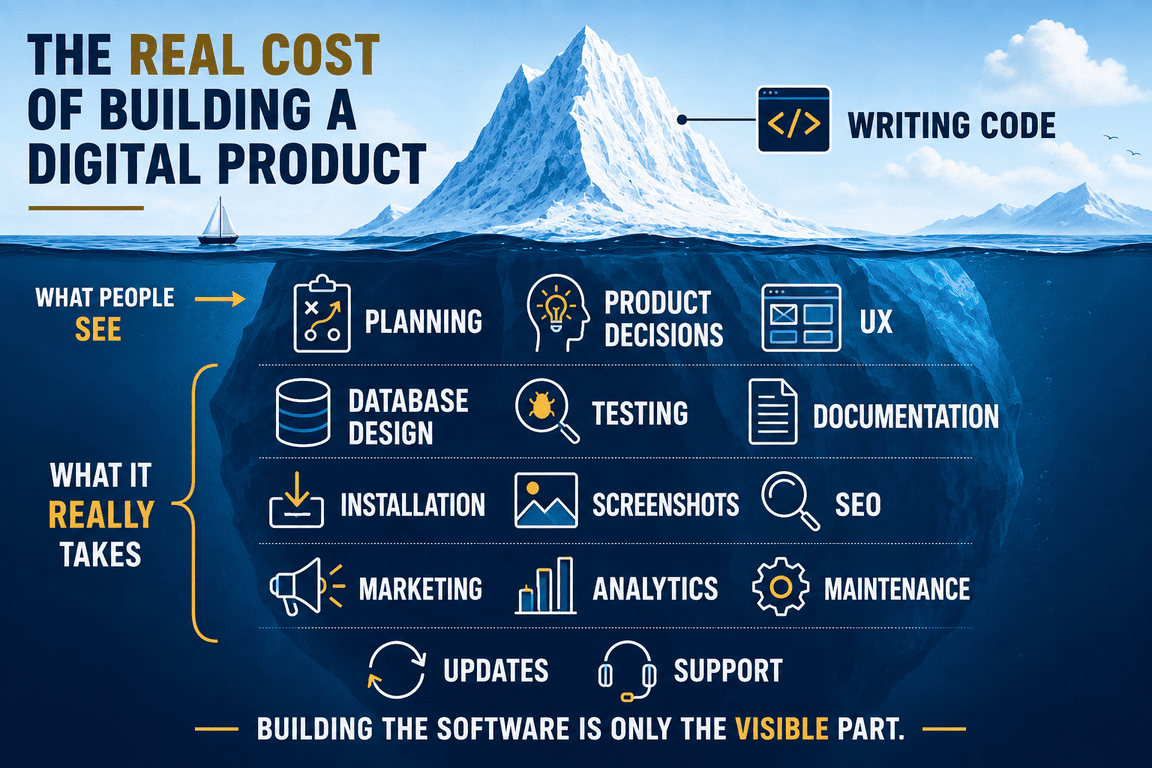
When I started building my own digital products, the code felt like the project. There was an application to build, a database to design, pages to connect and features that needed to work. It was easy to imagine the cost of the product in those terms: how many evenings would the development take, what hosting would I need, and how difficult would the technical parts become?
Then the application started working. That should have felt like the point where most of the work was behind me. Instead, I discovered a much larger project waiting around the software I had just built. There was documentation to write, installation to think about, screenshots to prepare, a product page to create, responsive layouts to fix, SEO to consider, demo data to organise and dozens of small decisions that had little to do with the original features.
The strange part was that many of these tasks were individually quite small. None looked particularly frightening on its own. Together, however, they changed my idea of what it actually costs to build a digital product. The price of software is not simply the price of writing software.
The Part of the Product We Naturally Count
Development is wonderfully easy to see. You can open an editor and look at the code. You can count database tables, pages, API endpoints or features. When a feature works, something visible has changed. When it does not work, there is usually a concrete problem to solve.
This makes programming feel like the natural centre of product development. It is also why estimates for new products so often begin with features: authentication will take this long, the dashboard will take that long, reports will require another few days, and the admin panel will add another week.
There is nothing unreasonable about estimating this way. Software does have to be built, and development can easily be the largest technical part of a project. The problem is that a functioning application and a finished digital product are not quite the same thing.
I noticed this very clearly while working on my own applications. Once the core functionality existed, I could use the software because I already understood it. I knew how it was installed, what every field meant, which configuration values mattered and what I had intended when I designed a particular workflow. Another person would know none of that.
That difference turned out to be surprisingly expensive.
A Working Application Is a Very Private Thing
Software that works for its creator can get away with a lot. I know where my files are. I know which PHP version I was using. I know that a particular setting needs to be changed before something works. If an interface is slightly confusing, I can often remember what I meant when I designed it.
If installation requires an undocumented step, I already know the step. The moment I imagine giving the same application to someone else, those invisible assumptions become product problems.
Installation has to make sense. Error messages have to be useful. Empty states suddenly matter. Configuration needs explanation. A button label that seemed obvious while I was developing the feature may look surprisingly ambiguous when I return to it several weeks later.
This is one of the distinctions I now find most interesting in custom software development. Adding product readiness does not necessarily mean adding more features. Sometimes the application barely changes in what it can do, while the amount of work around it grows considerably.
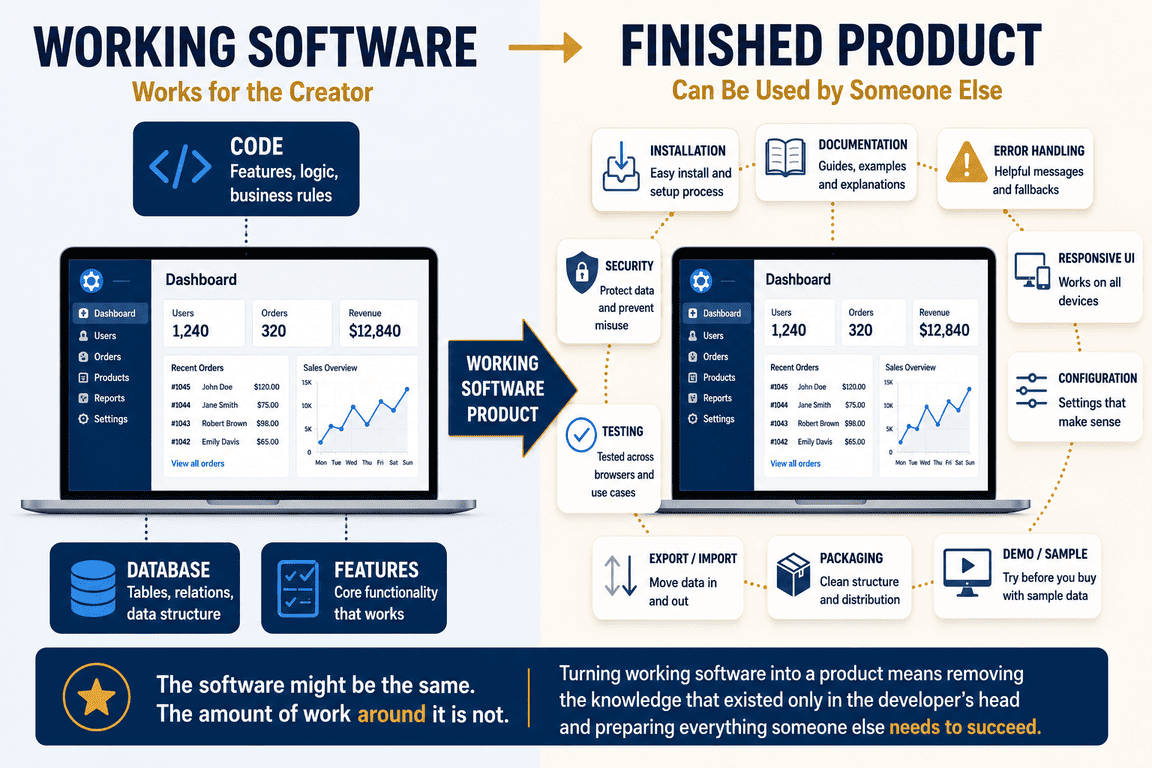
A personal tool can be technically sophisticated and still be a poor product. A comparatively simple application can feel much more complete because someone has spent time removing all the knowledge that previously existed only in the developer's head.
Before the Code, There Is the Cost of Deciding What to Build
There is another category of work that is even harder to see because it happens before anything appears on the screen. A feature rarely begins with code. It begins with questions. What information should be stored? Which pieces belong together? What happens when something is deleted?
Which settings should be global, and which belong to an individual user? What should appear on the dashboard, and what is merely interesting data that does not deserve permanent space there?
Some decisions are technical. Others sit somewhere between product design, UX and personal preference. They may take an hour to think through and ten minutes to implement, which makes the ten minutes visible while the hour quietly disappears from any mental calculation of development cost.
Database design has often made this particularly obvious to me. Creating a table is not necessarily difficult. Deciding what the table should represent, how it relates to the rest of the application and how much flexibility it needs for things I have not built yet can take much longer.
There is also a cost when a decision turns out to be wrong. A change made early may be cheap. The same change after several screens, queries and workflows depend on it can spread through the application in unexpected ways.
This kind of work rarely appears in a screenshot of a finished product. Yet a large part of product development consists of decisions whose best outcome is that nobody ever notices them.
Design Has a Habit of Expanding
I used to think about design mainly in visual terms: colours, spacing, cards, buttons, typography and the general appearance of a page. Building products has made that definition increasingly inadequate.
Design also includes deciding what deserves attention. A dashboard can contain ten useful pieces of information and still be worse than one containing four. A form can technically require all of its fields while still feeling unnecessarily difficult. A navigation structure can be logically organised from the developer's perspective and confusing from the user's.
This creates a peculiar type of work where nothing is obviously broken. The page loads. The database query works. The button does what it is supposed to do. Yet something still feels wrong, and finding out why may require more time than fixing an ordinary bug.
I have repeatedly returned to pages I considered finished and realised that the problem was not a missing feature at all. The hierarchy was weak. Text was too small. Several elements competed for attention. Two sections communicated almost the same thing.
The technically correct page needed to be reconsidered as an experience. That time belongs to the cost of the product too.
Then There Are All the Things Nobody Calls Features
Suppose the application itself is ready. What is still missing? Potentially quite a lot.
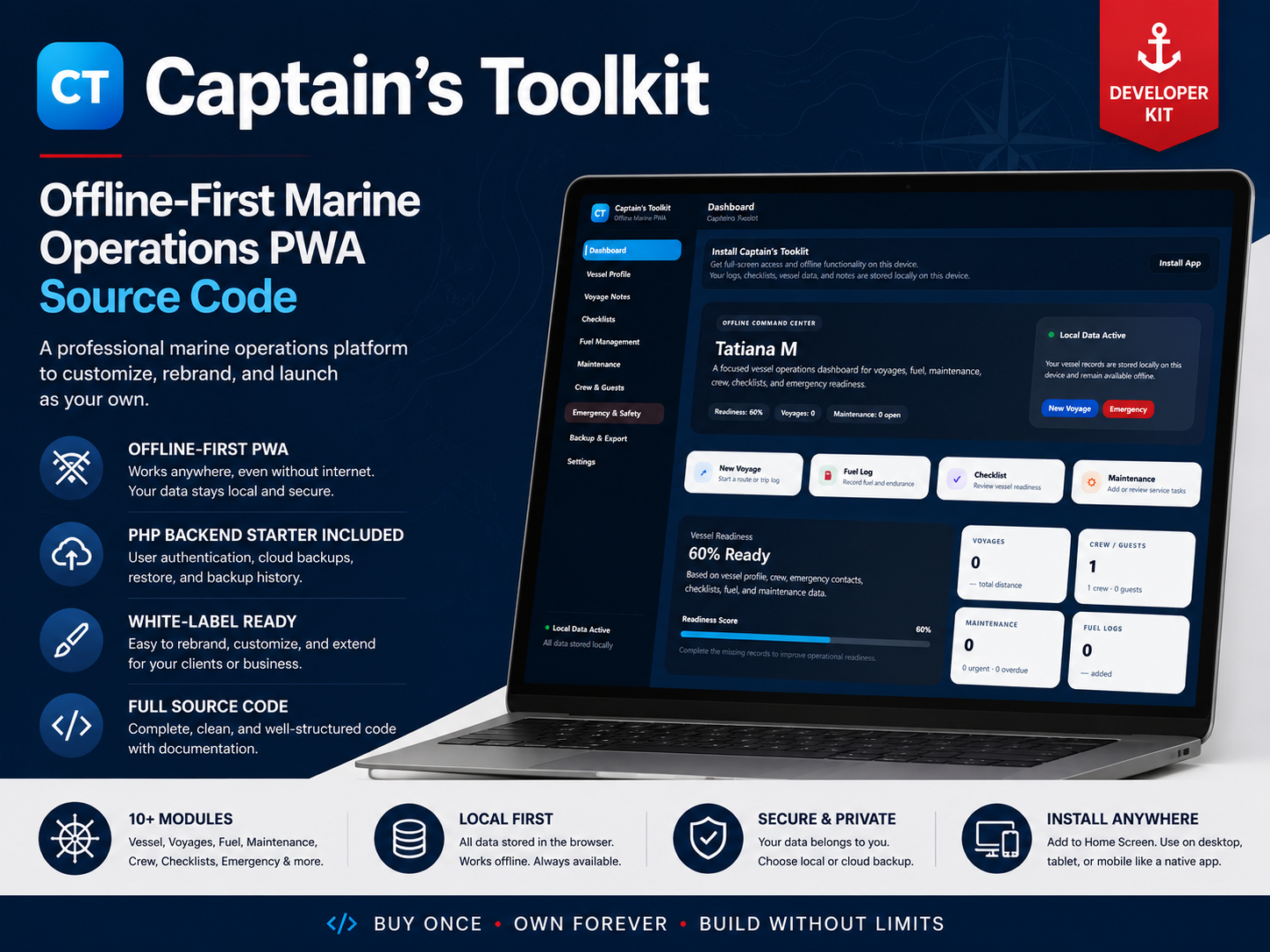
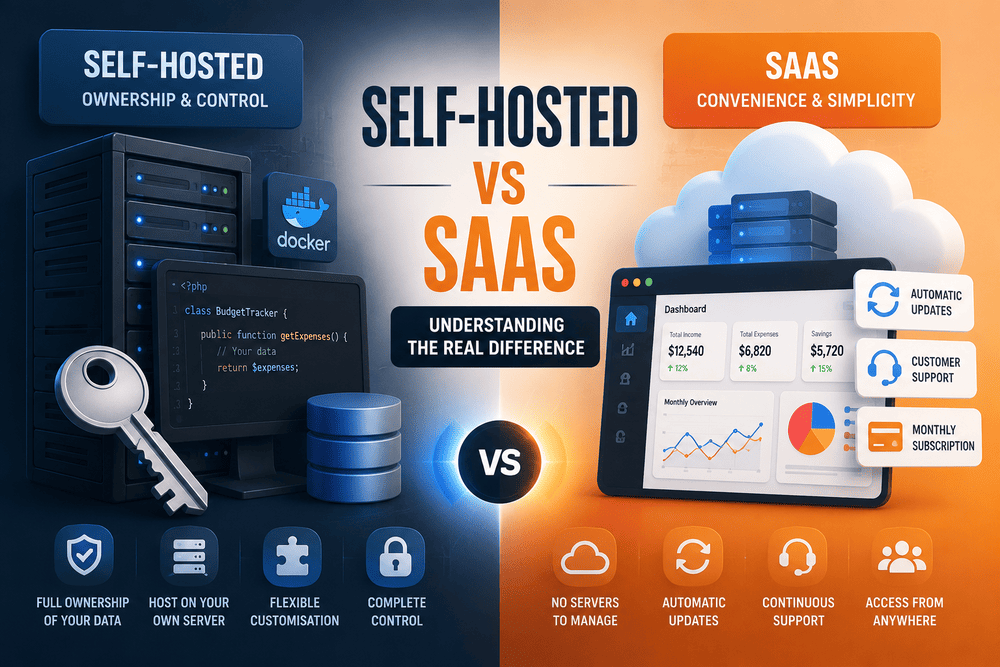
For a downloadable or self-hosted product, the surrounding work can include an installer, configuration handling, demo mode, documentation, licensing information, exports, error handling and a sensible package structure. A web application may require deployment infrastructure, monitoring, backups and account-management flows instead. Different products create different obligations, but almost all of them acquire work that does not fit neatly into a feature list.
- Installation and configuration
- Authentication and account handling
- Responsive behaviour
- Error and empty states
- Browser and device testing
- Security considerations
- Documentation
- Demo content
- Screenshots
- Product packaging
- Licence information
- Data import or export
- Backups and recovery
- Analytics
- Accessibility improvements
- Update procedures
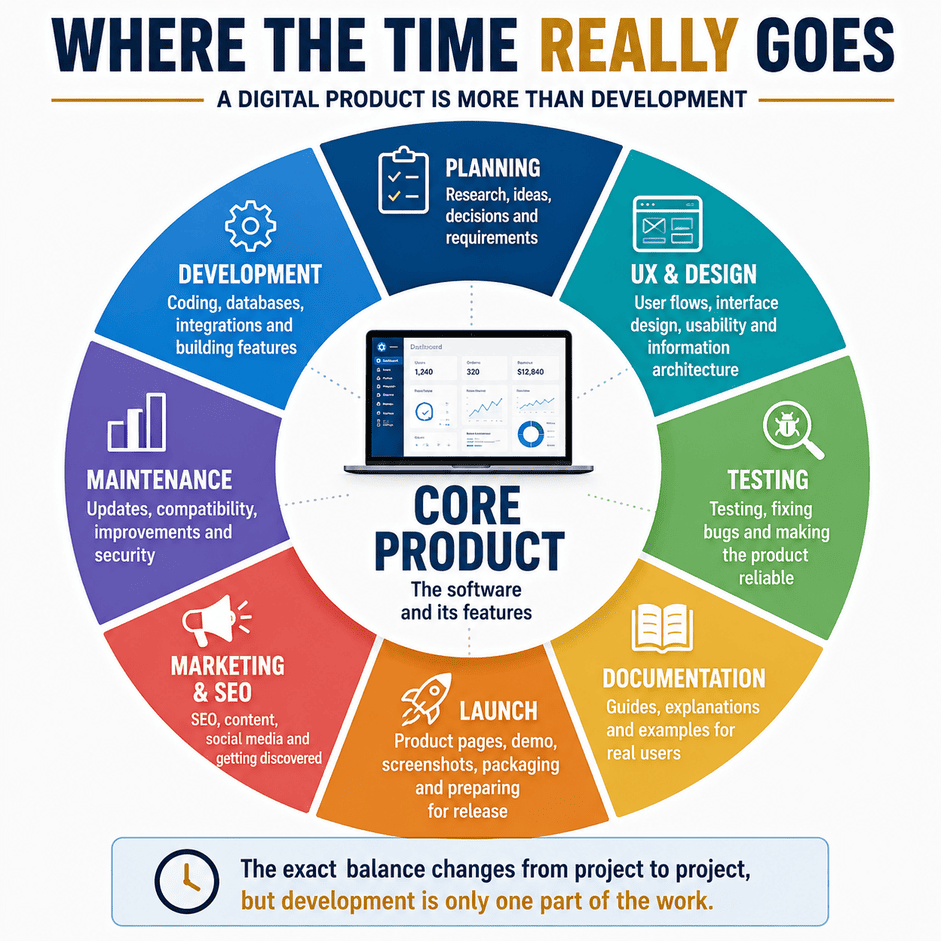
None of these automatically makes a product commercially successful. Some may not even be necessary for a particular project. But once they are necessary, they consume the same real hours as building the features that originally justified the project.
This is why a feature count can give a misleading impression of product complexity. Two applications with almost identical functionality may require very different amounts of work depending on how they are distributed, who uses them and what level of independence is expected from the user.
Documentation Changed the Way I Looked at My Own Software
Documentation initially looked like one of the final tasks. Build the application first. Explain it afterwards.
In practice, writing documentation became another way of testing whether the product actually made sense. The moment I tried to describe installation clearly, I had to look at the process from the perspective of someone who did not already know how it worked. The moment I tried to explain a feature, vague assumptions became much harder to ignore.
This is an uncomfortable quality of documentation: it exposes things. A workflow that takes three paragraphs to explain may be more complicated than it appeared inside the application. A setting that requires several warnings may need a safer default. An installation process full of exceptions may technically work while still being too fragile for comfortable distribution.
Documentation therefore stopped feeling like text attached to the software. It became part of the software's interface with a person who was not present while it was being built. And, of course, writing it takes time.
Launching the Product Became a Second Product
There is a satisfying moment when the application looks ready and the next obvious task is simply to put it online. "Simply" does a great deal of work in that sentence.
A digital product needs somewhere to live or somewhere to be sold. That means a website or marketplace listing. Then it needs a product page. The product page needs screenshots, descriptions, pricing, licence information and some explanation of who the software is actually for.
If the product has a live demo, that creates another small system to maintain. If it has public documentation, those pages need structure and navigation. If the website has several products, they need a coherent way of being presented together.
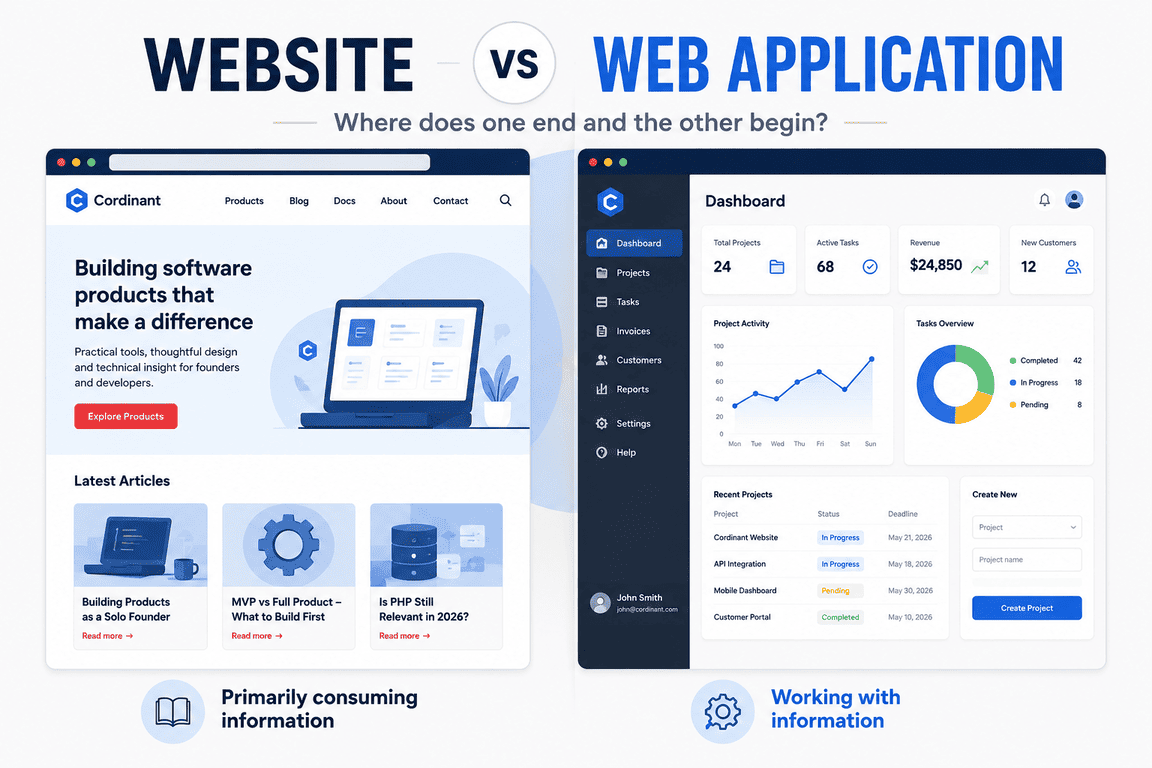
I experienced this with Cordinant. Building my digital products was one project, but building the environment around them became another: product pages, documentation pages, an administration system, blog content, metadata, analytics and the many small pieces required to make the site understandable to someone arriving for the first time.
At some point I realised I was no longer merely preparing software for sale. I was building the infrastructure required to explain that the software existed.
The Screenshot Problem
Screenshots deserve their own small corner of product development because they illustrate the problem unusually well. Taking a screenshot sounds like a five-minute task.
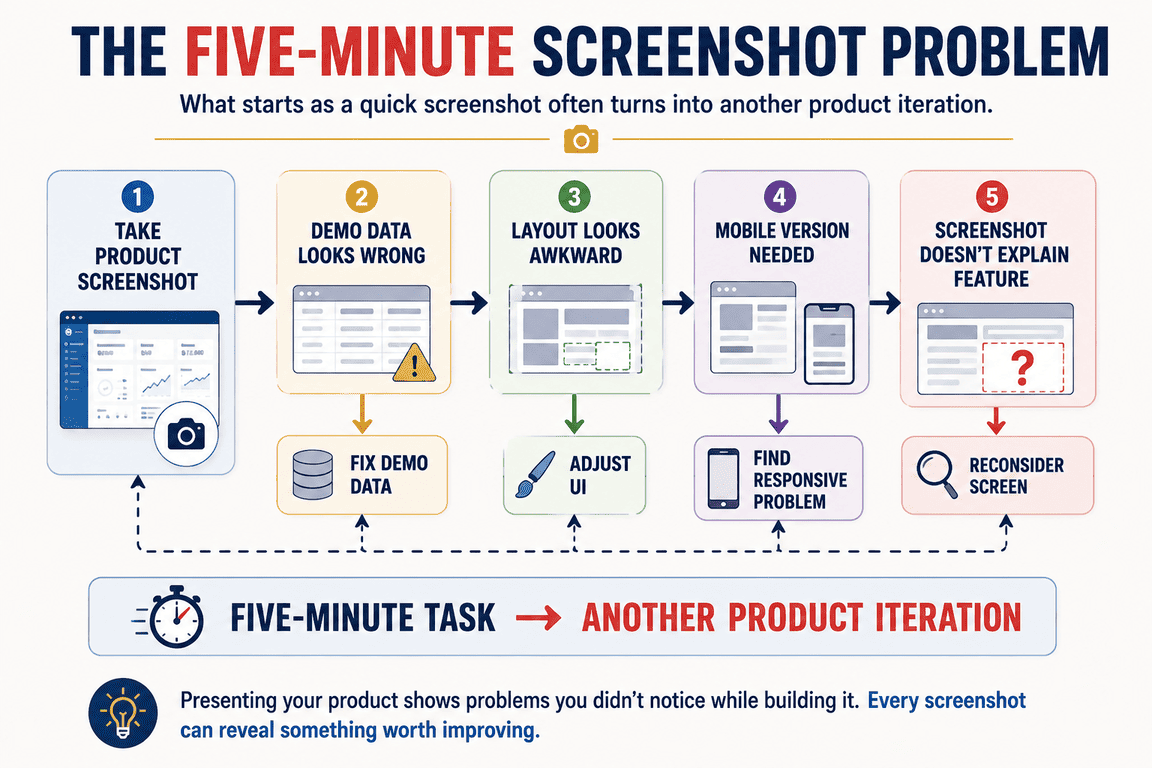
Then you notice that the demo data looks unrealistic. You change it. A table has an awkward empty column. You fix that. The browser window needs a better size.
The screenshot reveals spacing you had stopped noticing during development. A mobile version would be useful too, which exposes another layout problem. Eventually the five-minute screenshot has resulted in two interface changes, new demo data and an hour spent deciding which screen actually communicates the product best.
Nothing about this is extraordinary. It is simply one example of how finishing work tends to reveal more finishing work.
The same thing happens with demo videos, documentation examples, onboarding text and product descriptions. Presenting a product forces you to look at it from outside, and looking from outside often reveals things that were invisible while you were inside the code.
Marketing Is Not Something That Happens After Building
For a solo creator, marketing can feel especially strange because it requires switching into an entirely different mode of thinking. One hour I may be looking at PHP or a database. Later I am thinking about a page title, a search query, an article idea or how to describe a feature without repeating the same sentence already used three times elsewhere on the site.
These activities are connected to the same product, but they barely feel like the same profession.
SEO adds another layer. A technically correct website does not automatically explain itself well to search engines or to people arriving through search. Pages need meaningful titles and descriptions. Content needs structure. Internal links need thought.
Search Console and analytics can show problems, but then somebody still has to interpret them and decide whether anything should change.
Content has its own cost as well. A useful blog article may take longer to research, write, revise, illustrate and publish than a modest software feature. Social posts, images, product updates and community discussions all consume smaller pieces of time that accumulate around the core development work.
This does not mean every creator needs to do all of these things. It means that the cost of distribution exists somewhere. If nobody can discover or understand the product, technically completing it does not remove that problem.
Money Is Only One Way to Measure Cost
When people discuss software development cost, the conversation naturally moves towards money. How much would a developer charge? What does hosting cost? How expensive is design? What is the monthly bill for APIs, email, analytics or other services?
Those are real costs, but for an independent creator they can be overshadowed by another resource: time.
A project built largely with existing tools and inexpensive hosting may look cheap financially while consuming hundreds of hours. Those hours are not free simply because there is no invoice attached to them. They could have gone into another product, paid work, marketing, learning, rest or something entirely unrelated to software.
Opportunity cost is particularly difficult to feel while a project is moving forward. Every individual evening appears to be progress. It is only over a longer period that the accumulated choice becomes visible: this was the project I worked on instead of all the other projects I could have worked on.
I do not think this automatically makes long projects a mistake. Some things simply require time. But "I built it myself, so it cost almost nothing" is a strange way to account for several months of one's life.
Solo Development Makes the Cost More Visible
A company can distribute these responsibilities across different people. A developer works on the application. A designer deals with the interface. Someone writes documentation. Marketing prepares the launch.
Another person manages SEO, and support handles questions after release. The company still pays for all of that work, but no single person necessarily experiences the entire chain.
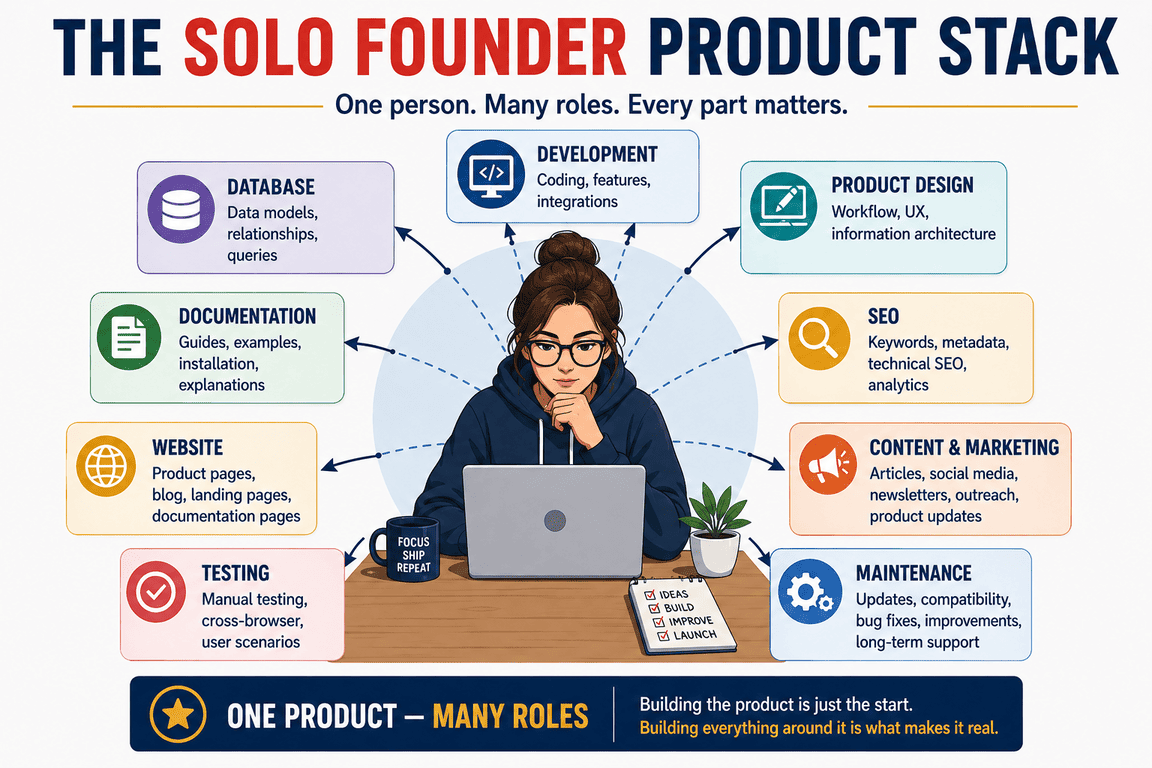
Working alone removes that abstraction. If the documentation does not exist, I have to write it. If the product page looks wrong, I have to change it. If the screenshots are poor, there is nobody downstream whose job begins where mine ends.
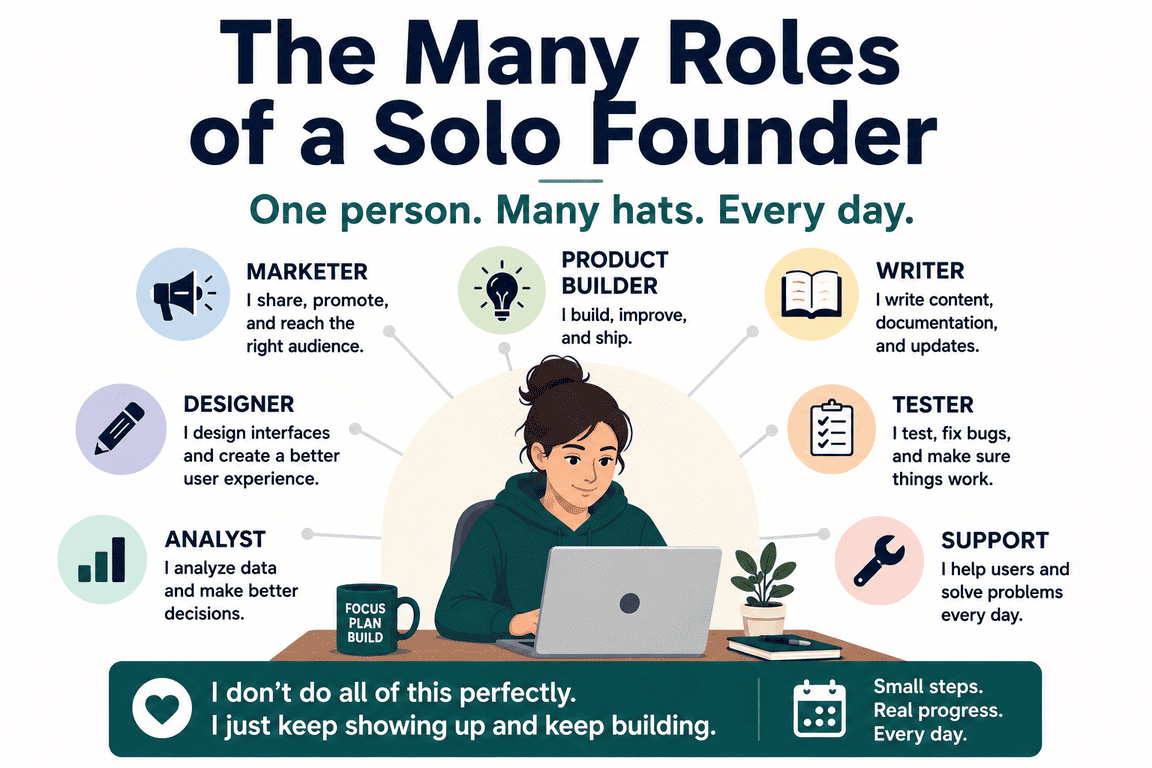
This can be exhausting, but it is also an interesting way to see what a digital product actually contains. Roles that appear separate inside a larger organisation turn out to be different parts of the same problem: making something that works, making it understandable, and making it possible for another person to use it.
The code is only one layer.
AI Makes Some Things Faster, but It Does Not Remove the Work
AI has changed this calculation in noticeable ways. I can use it to explore approaches, draft code, examine possible problems, reorganise text, generate ideas or work through alternatives much faster than I could by starting every task from an empty page. For a solo creator moving between programming, UX, documentation and content, that flexibility is genuinely useful.
It can also create a misleading feeling of speed.
Generating something is not the same as finishing it. Code still has to fit the existing application. Suggestions need to be checked. Text may sound generic or repeat itself. An apparently sensible solution may misunderstand the architecture.
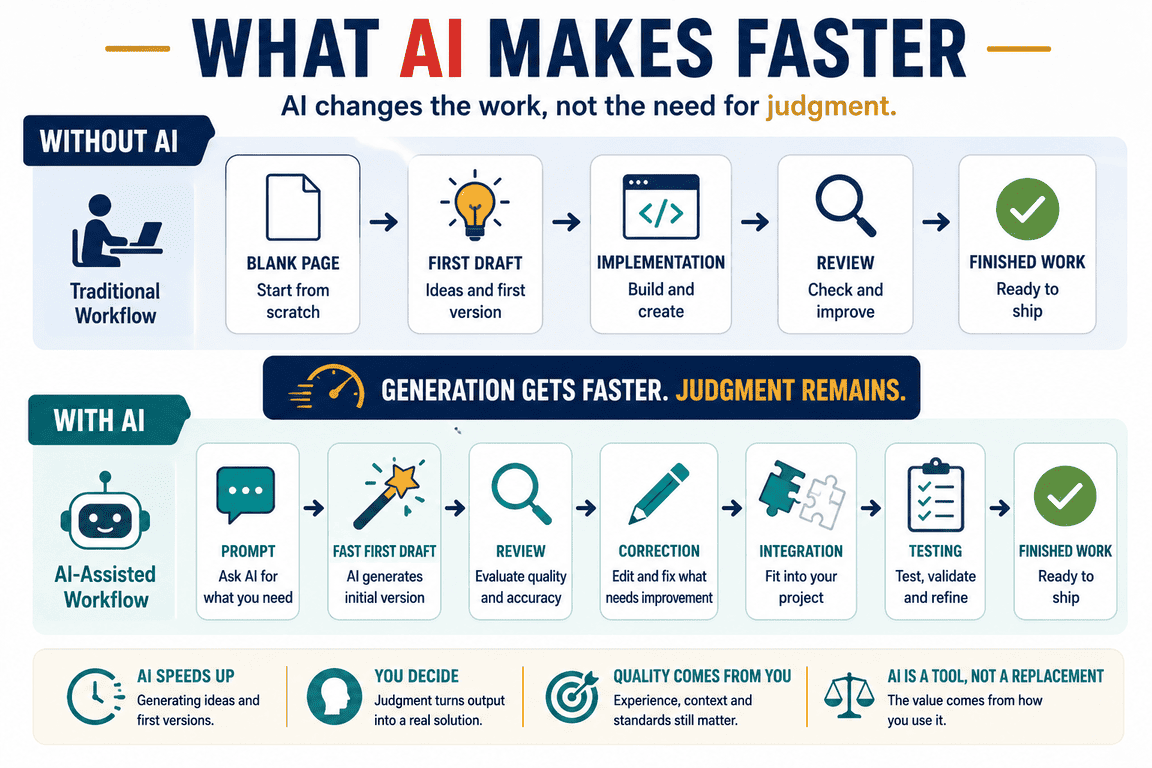
A design suggestion can look convincing while being impractical inside the actual interface.
I have had situations where AI shortened the work dramatically, and others where correcting the generated result took enough time that the advantage became much smaller. The ability to produce more alternatives also creates its own temptation: if generating another version is cheap, it becomes very easy to keep generating versions instead of deciding.
AI therefore changes the economics of digital product development, but I do not think it eliminates the hidden costs. In some cases it simply moves them. Less time is spent producing the first version and more time is spent evaluating, integrating and refining what was produced.
The expensive resource remains attention.
The Cost of Changing Your Mind
There is another cost that rarely appears in a project estimate: discovering that something you built is not quite right.
This happens constantly because a product becomes easier to understand as it becomes more complete. Early decisions are made with an incomplete picture. Later, the picture improves, and some of those perfectly reasonable decisions start to look less convincing.
A product page may be technically finished before you realise several sections are repeating the same message. An administration interface may work before you discover that an important piece of content cannot actually be edited there. A documentation structure may seem sufficient until the amount of documentation grows.
The irritating part is that none of these changes feels like progress in the traditional sense. You may spend several hours rebuilding something and finish with roughly the same number of features you had before.
Yet the product can be substantially better. This is one reason I am increasingly suspicious of measuring progress only by what has been added. Removing repetition, simplifying a workflow, rebuilding a weak section or changing an earlier decision can be some of the most valuable work in a project, even though the result is "less" rather than "more."
"Finished" Keeps Moving
Software has a peculiar relationship with the word finished. A feature can be finished. A release can be finished. A particular version can certainly be shipped. But the product around them continues to interact with browsers, operating systems, PHP versions, dependencies, hosting environments, search engines and changing user expectations.
Something eventually changes. A dependency receives an update. A browser behaves differently. An API changes. A security issue appears.
A user encounters a situation that never occurred in testing. Documentation becomes outdated because the interface changed three weeks earlier and nobody remembered the screenshot.
For SaaS, this ongoing work is expected because the service is continuously operated. With downloadable or self-hosted software, the relationship is different, but maintenance does not disappear. A source-code product may give its buyer more ownership and independence, yet the code still exists in an environment that continues to evolve.
That makes maintenance part of the real cost even if its exact amount cannot be known when the first version is released.
More Features Can Be Cheaper Than More Completeness
One of the more counterintuitive things I have noticed is that adding another feature can sometimes be easier than making an existing feature feel complete.
A developer is already comfortable inside the code. Adding another database field, query or interface component may be relatively straightforward. Improving the entire experience around an existing feature requires a different kind of attention.
What happens before the feature has data? What happens when something fails? Does it work on a small screen? Is the terminology consistent with the rest of the application? Does it need documentation?
Does the demo show it properly? Does the product page now need updating?
This helps explain why feature-rich software can still feel unfinished. Completeness is not simply the number of capabilities. It is also the amount of care around the edges.
Those edges are expensive because there are so many of them.
Build or Buy Looks Different When Time Is Included
All of this also changes the familiar question of whether to build something yourself. The direct financial comparison can make building look attractive. A commercial tool costs money; writing your own version costs nothing except hosting and perhaps a few services.
But the comparison changes when the hours are included.
There are still excellent reasons to build. You may need unusual functionality, want complete control, enjoy the process, need ownership of the source code or see the project itself as valuable experience. Building can also make sense when an existing application provides a strong starting point that can be adapted instead of recreated.
There are equally sensible reasons to buy. Sometimes the expensive software licence is cheaper than two weeks of development. Sometimes a subscription is paying not merely for features but for somebody else to deal with maintenance, compatibility, infrastructure, security and all the boring edges surrounding those features.
Neither choice is universally better. The interesting part is that the true comparison is rarely "price of software versus zero." It is one bundle of costs versus another.
The Product Has a Cost After Nobody Is Coding
There are days when no new code is written and the product still moves forward. A page is rewritten. Documentation becomes clearer. Search metadata is improved. Screenshots are replaced.
A confusing section is redesigned. A bug report reveals that an assumption was wrong. An old article is updated because it no longer reflects the current product.
From a programming perspective, these can look like peripheral activities. From a product perspective, I am no longer sure there is a meaningful boundary between the "real" work and everything around it.
The software is the mechanism, but the product is the entire relationship between that mechanism and the person trying to discover, understand, install, buy or use it. Once I started seeing it that way, the hidden work stopped looking quite so hidden.
So What Does a Digital Product Really Cost?
I do not think there is a useful universal number. A small application built by one person can cost very little in cash and a great deal in time. A company may spend heavily on development but save months by using existing infrastructure. AI can reduce some implementation costs while making it easier to explore more possibilities.
A self-hosted product may avoid the operational burden of SaaS while creating more work around installation and documentation. The cost depends partly on what is being built, but also on what "finished" is supposed to mean.
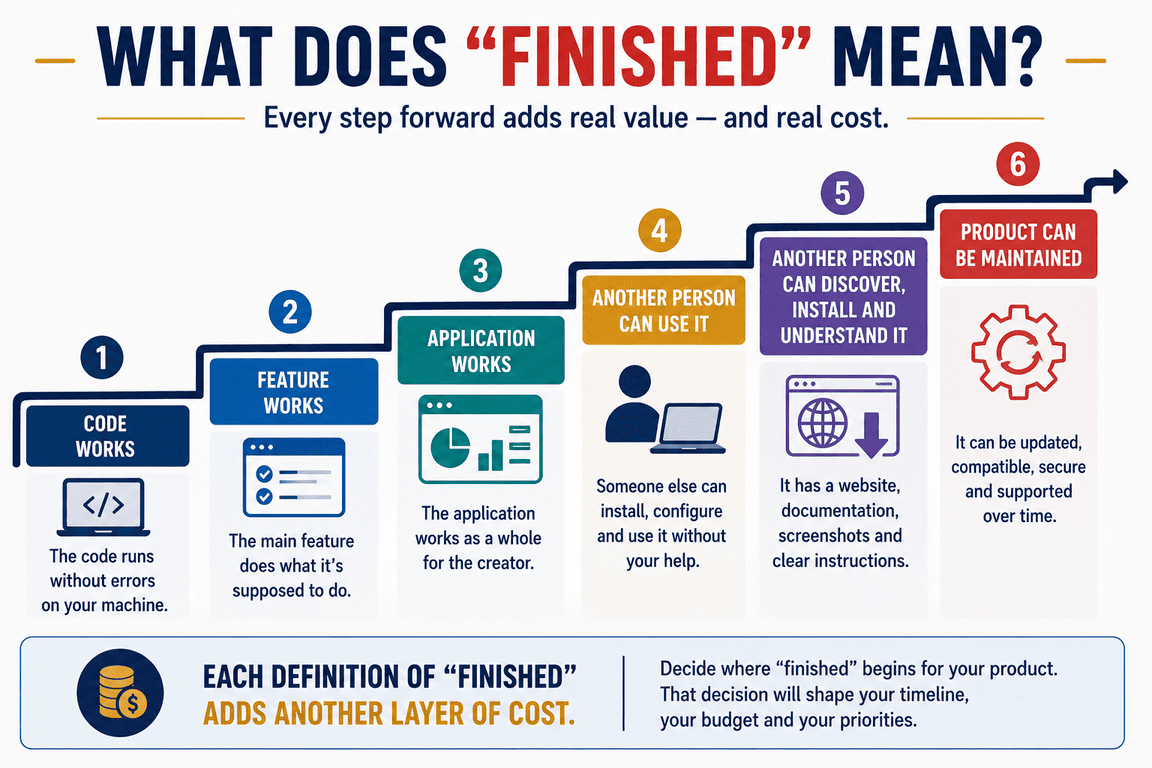
If finished means that the core functionality works on the developer's computer, the cost can be surprisingly low. If it means another person can discover the product, understand it, install it, use it confidently and continue using it when something changes, the calculation becomes much larger.
That is the difference I did not fully appreciate when I thought mainly in terms of features.
I still like the moment when a piece of code finally works. It is concrete, satisfying and easy to recognise as progress. But I no longer see it as the whole project, or even necessarily the most difficult part.
The larger cost is everything required to turn that working code into something that can exist outside the environment in which it was created. Some of that cost is money. Much of it is time. A surprising amount of it is simply attention paid to details that nobody will notice when they work properly.
Perhaps that is why estimating digital products remains so difficult. We count the visible construction, while much of the real work is happening underneath it.