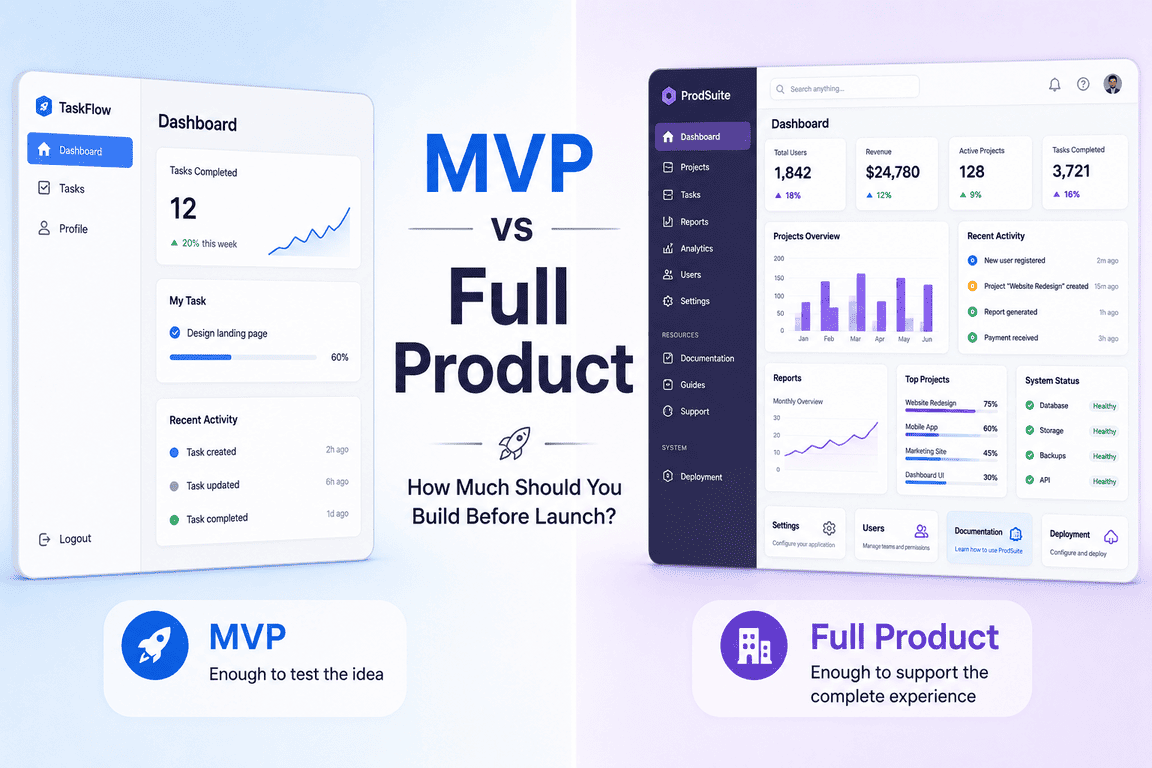
Imagine looking for a ready-made PHP application. You find a beautiful dashboard with charts, user profiles and navigation menus. The screenshots look convincing, the description promises a faster development process, and the price seems reasonable. It looks like most of the application has already been built.
Then you download the package and discover that the charts contain sample data, the buttons lead nowhere, and the user accounts are just interface elements. What you purchased is a design that still needs an application behind it.
Now imagine a different purchase. The screenshots are less impressive, but the package contains authentication, database migrations, configuration files and a working project structure. You can register a user and connect to a database, but the application doesn't actually do anything specific yet.
A third product might include subscription billing, user management and an administration panel. A fourth might already manage expenses, calculate balances, generate reports and export data.
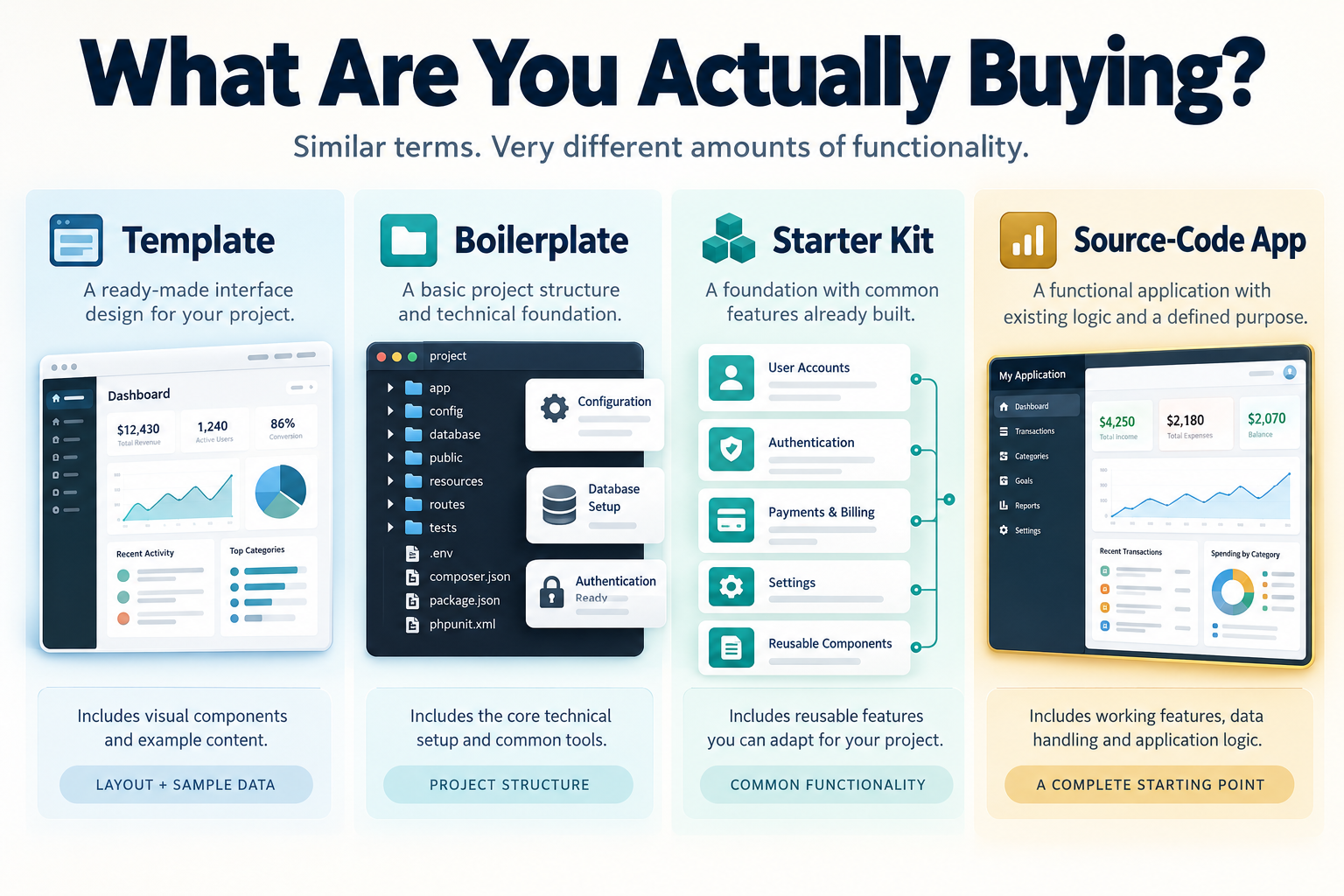
All four are sold as ways to avoid starting from scratch. All four may include source code. And depending on the marketplace, they might be described as templates, boilerplates, starter kits or ready-made applications.
The terminology is surprisingly flexible. The difference between these products, however, becomes much less abstract once you start working with the code.
Four Names That Don't Always Mean Four Different Things
Software marketplaces don't follow a universal naming system. One developer's starter kit may be another developer's boilerplate. A product advertised as a template might contain a functioning backend, while something called a complete application might turn out to be little more than a collection of connected screens.
There are still some useful distinctions.
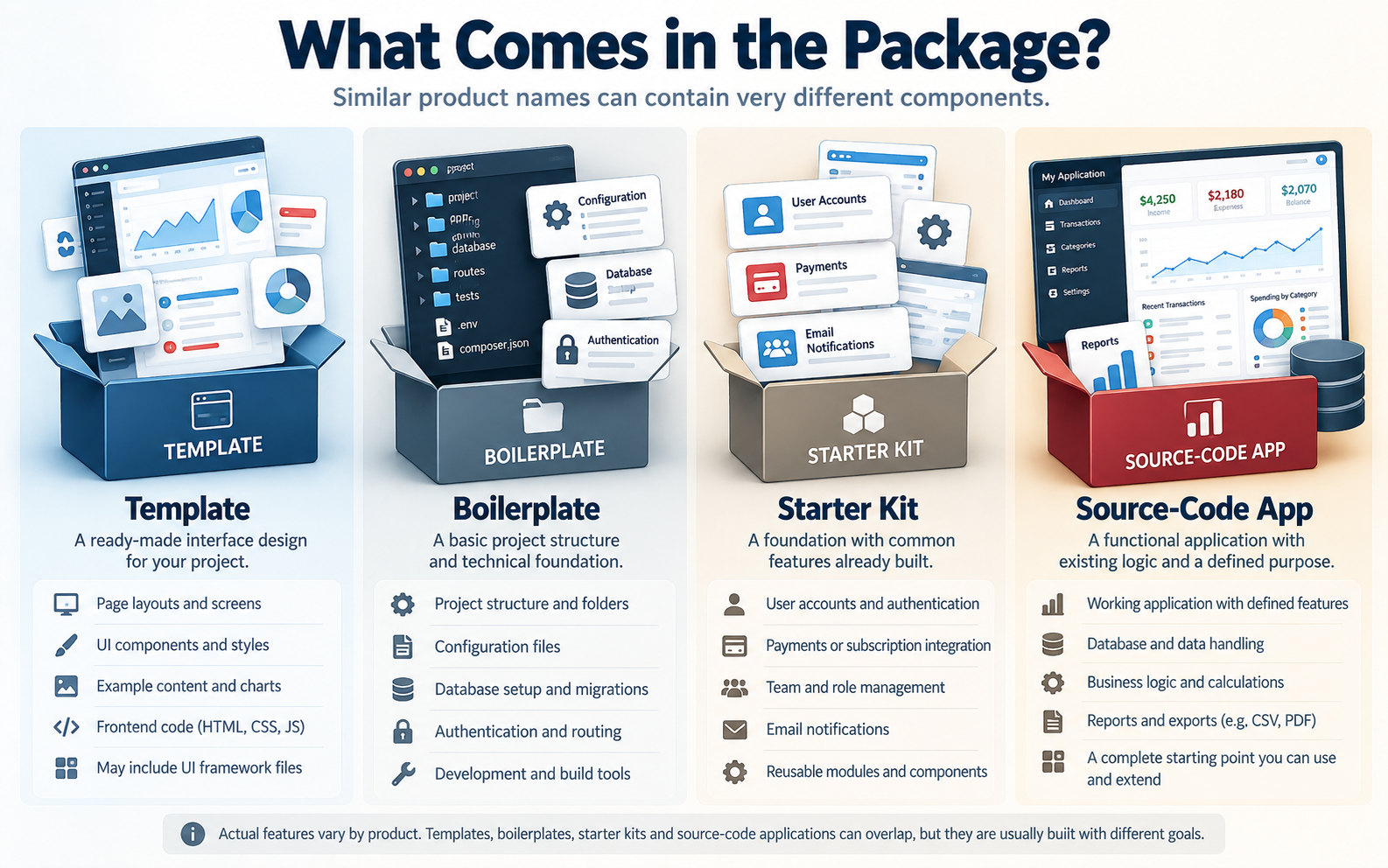
A template usually concentrates on presentation. It provides layouts, interface components, visual styles and sometimes frontend interactions. It might be an HTML admin dashboard, a website theme or a collection of React components. Its main purpose is to give a project a visual starting point.
A boilerplate usually concentrates on technical foundations. It provides the configuration, structure and common functionality that developers would otherwise have to create repeatedly. Authentication, routing, database connections and environment configuration are typical examples.
A starter kit often goes further by combining technical foundations with features designed for a particular kind of application. A SaaS starter kit, for example, might include user accounts, subscription integration, team management and an administration interface.
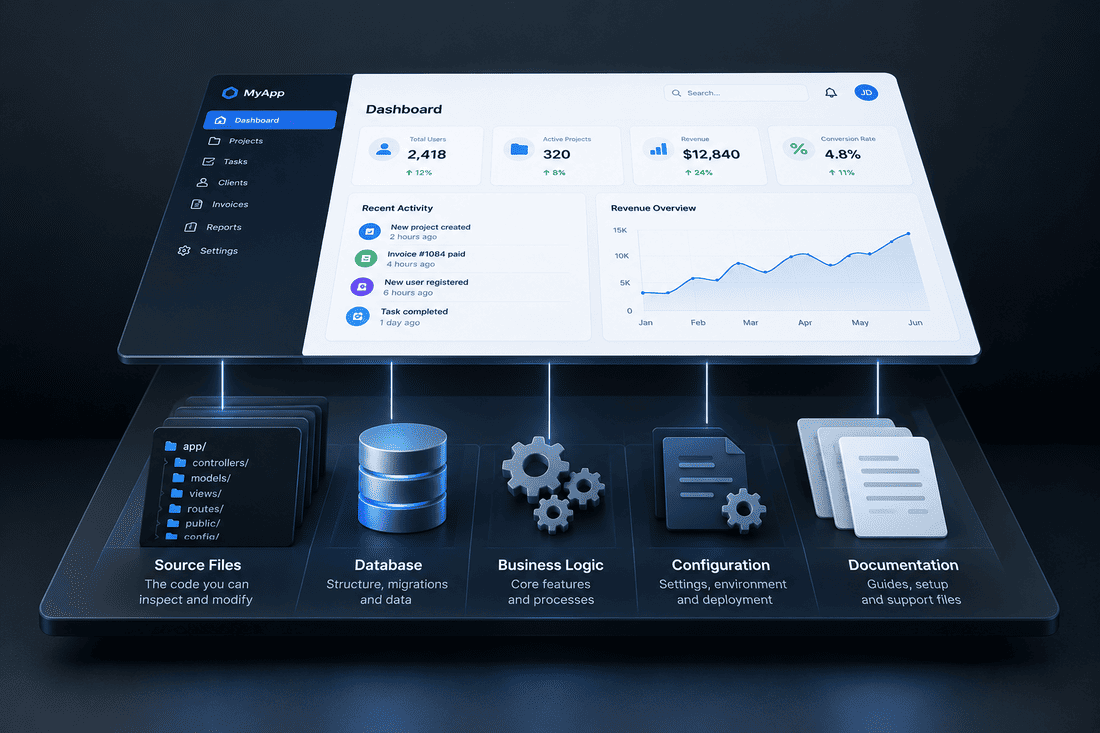
A functional source-code product, as I use the term at Cordinant, is an existing application built to perform a recognisable task. It has its own purpose, application logic and working functionality. The buyer receives the code behind that application, rather than only a framework for building something later.
These are useful descriptions, not strict industry standards. A starter kit can be a functional product, and a complete application can also be used as a starting point for something else.
In fact, all four categories can contain source code. The phrase source-code product is not technically exclusive to the fourth category. The distinction I'm making is between code supplied mainly as building material and code supplied as an application that already performs its intended functions.
A Dashboard Can Look Finished Long Before the Application Is
One of the more interesting things about software development is how convincing an unfinished application can look.
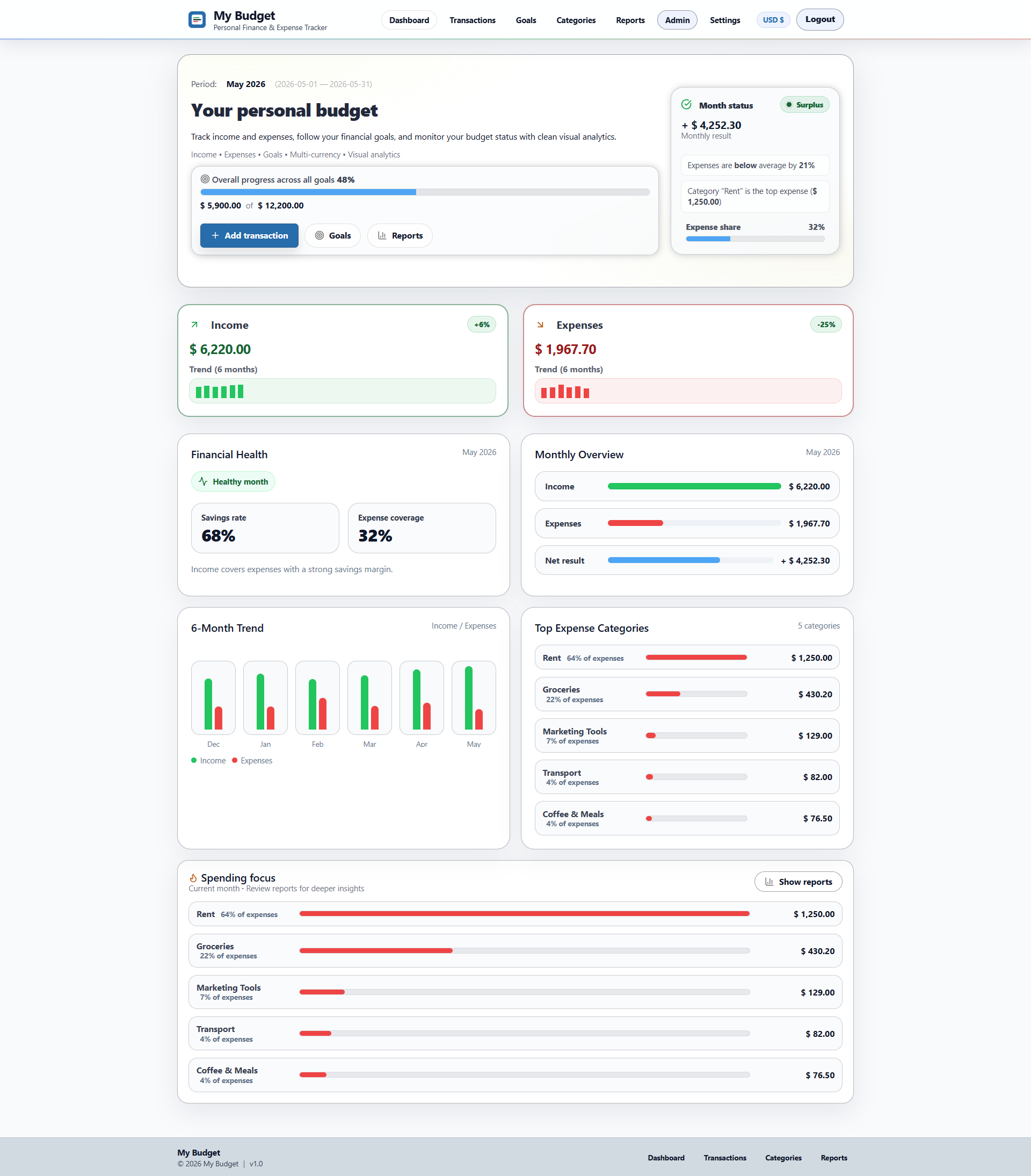
Consider a personal finance dashboard. It shows a monthly income figure, an expenses chart, several spending categories and a list of recent transactions. There are buttons for adding expenses, creating categories and downloading reports.
Visually, it might look like a complete budgeting application.
But the screenshot tells us very little about what happens behind the interface. The transaction list might be hardcoded. The chart might be populated with demonstration values. The Add Expense button might open a form that never saves anything.
None of this necessarily makes the template a bad product. A developer who needs a polished finance interface may be delighted to have those screens ready. Designing responsive layouts, charts, forms and navigation can take considerable time.
The problem appears when the buyer expects the interface to represent completed functionality.
A working budgeting application needs considerably more than a dashboard. Transactions have to be stored, retrieved, edited and deleted. Categories must be associated with the correct records. Financial summaries need to reflect actual data. Reports require calculations, and exports must produce usable files.
There are also less visible concerns: authentication, validation, database design, error handling and the behaviour of the application when something unexpected happens.
A template can provide the appearance of these features without implementing them. A functional application needs to connect the visible interface to the underlying behaviour.
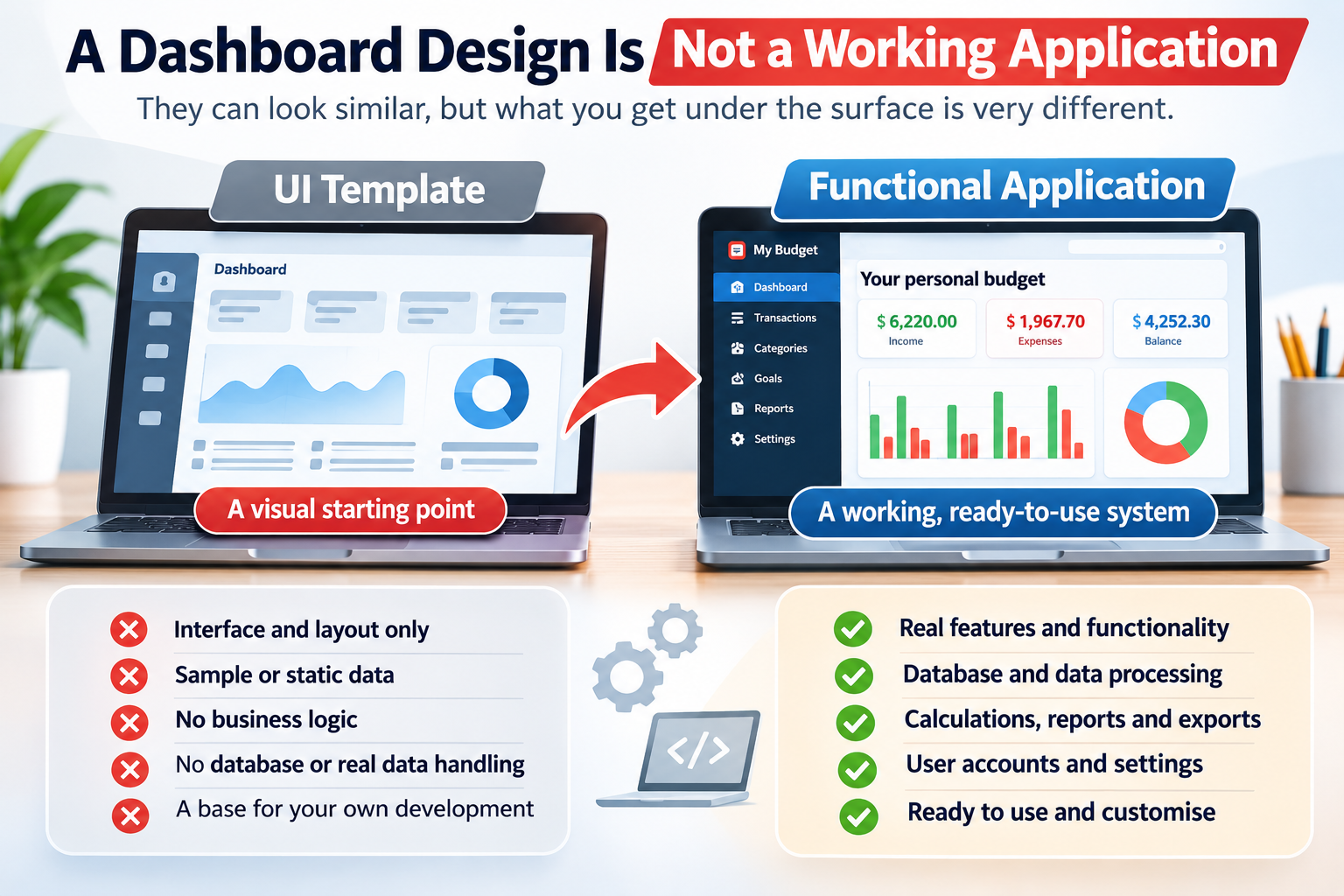
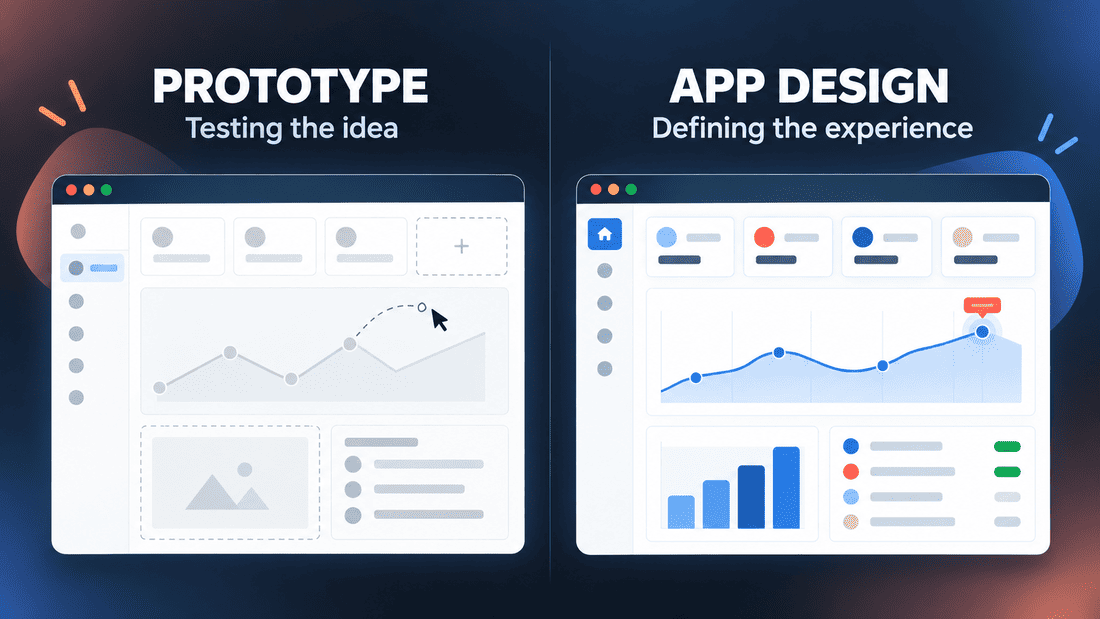
This is one reason I think product screenshots, although useful, are insufficient for evaluating software source code. They show what a user might see, not necessarily what the software can do. A similar distinction appears when comparing an application prototype with application design: visual progress and functional progress are not always the same thing.
What the Same Finance Dashboard Might Actually Contain
| Component | Dashboard template | Functional finance application |
|---|---|---|
| Financial charts | Visual components, often with sample data | Charts calculated from stored financial records |
| Transactions | Example rows and layouts | Create, edit, delete and retrieve records |
| Categories | Visual labels or sample lists | Persistent category management |
| User accounts | Login screens may be included | Authentication and account handling |
| Reports | Report layouts or placeholders | Reports generated from application data |
| Export | Button design or demonstration behaviour | Downloadable files containing actual records |
| Database | May not be required | Persistent storage for application data |
These are typical differences, not guarantees. Some templates include working features, and some applications have incomplete modules. The only reliable way to understand a particular package is to examine what it actually contains.
Boilerplates Solve a Problem That Users Rarely See
Developers often spend a surprising amount of time building functionality that has little to do with the original product idea.
Before a new application can manage appointments, track inventory or organise finances, someone may need to configure the project, establish database connections, implement authentication, organise routes and create a reliable development structure.
These are necessary tasks, but they are also repetitive.
A boilerplate attempts to remove some of that repetition. Instead of beginning with an empty directory, the developer starts with a project where common technical decisions have already been made.
For a PHP developer, that might mean a prepared application structure with routing, environment configuration, database access, authentication and reusable components. In another ecosystem, the boilerplate might include a framework configuration, testing setup and deployment scripts.
The appeal is understandable. If the technical foundation is familiar and reliable, the developer can concentrate on the functionality that makes the new application different.
But there is an important distinction between having an application ready for development and having an application ready to perform a useful task.
An authentication system doesn't make a booking application. A database connection doesn't make an inventory manager. A dashboard layout doesn't make an accounting tool.
The boilerplate may solve many technical problems while leaving the actual product almost entirely undefined.
That can be exactly what a developer wants.
If I were building an application with unusual requirements, a clean foundation might be more useful than an existing product containing dozens of features I would eventually remove. Starting with less code can sometimes mean having fewer decisions to undo.
Starter Kits Are Where the Boundaries Become Blurry
Starter kits occupy an interesting space because the term describes an intention more than a specific level of completeness.
A starter kit is supposed to help someone start building. How much work it removes depends on the kit.
A simple starter kit might contain authentication, basic layouts and a database structure. A more substantial one might include payments, subscription management, email notifications, administration tools, team accounts and role-based permissions.
Some are effectively ready-made SaaS foundations. Others are closer to boilerplates with a few additional features.
For example, imagine someone wants to build an online appointment booking service.
A SaaS starter kit could already provide customer accounts, subscription billing and a dashboard. Those are useful components, but the developer might still need to build appointment availability, scheduling rules, calendar integration, cancellation handling and reminders.
The starter kit has reduced the amount of infrastructure work without necessarily implementing the central booking functionality.
A specialised appointment-booking starter kit might already contain those features. At that point, the distinction between starter kit and functional application becomes much less meaningful.
This overlap is worth acknowledging because it is easy to create a comparison that makes every category look like a neat step towards a complete product. Real software packages rarely fit into such an orderly progression.
The better question is not whether a starter kit is more advanced than a boilerplate. It is whether the included functionality matches the project someone intends to build.
When the Code Already Has a Job to Do
A functional application approaches the problem from a different direction.
Instead of asking, "What technical components might someone need for a future product?", it begins with a particular activity the software is supposed to support.
A maintenance application tracks equipment, service records and maintenance tasks. A finance application records transactions and produces financial summaries. An inventory application manages products, stock levels and movements.
These applications still need interfaces, databases, authentication and other technical foundations. But those components exist to support a defined purpose.
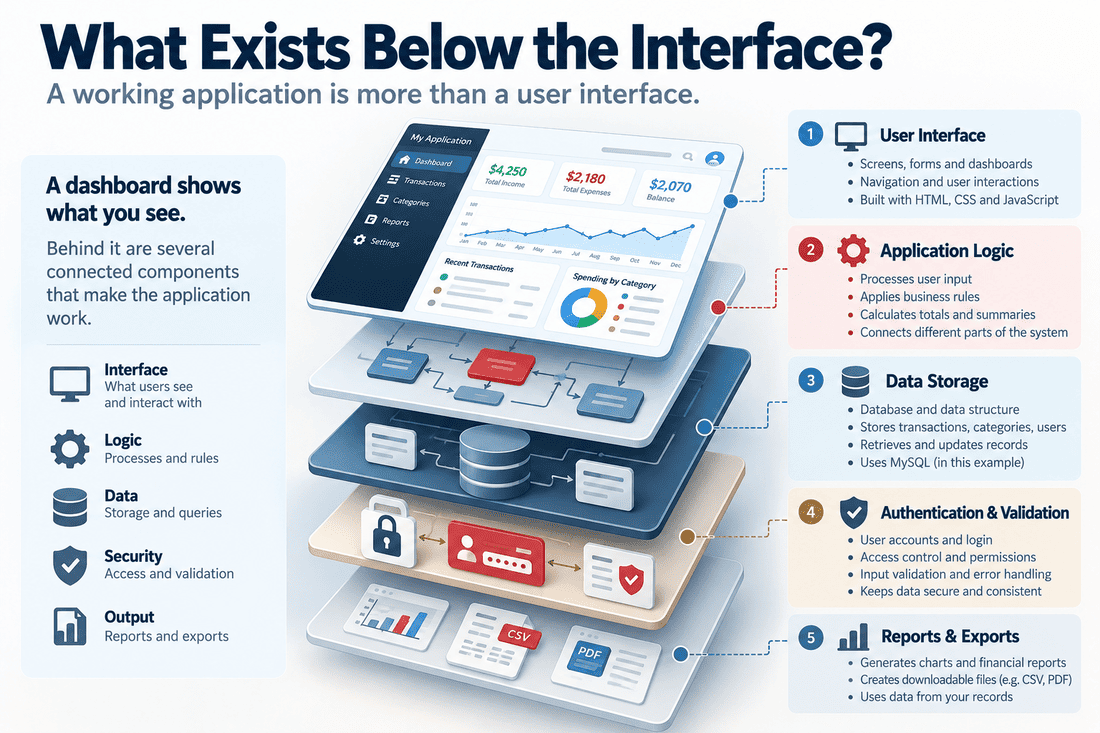
That difference changes what a buyer receives.
Someone purchasing a boilerplate usually expects to create the main product functionality. Someone purchasing an existing application may already have much of that functionality available and can concentrate on installation, configuration, customisation or extension.
The distinction matters especially when the intended project is close to the original application's purpose.
Suppose a freelancer wants to build a small financial management tool for a particular type of client. Starting from a generic PHP boilerplate means designing and implementing the financial functionality. Starting from an existing finance application may mean adapting transaction categories, reports, workflows and presentation to suit the client's needs.
Neither approach guarantees a faster result. The second becomes attractive when the existing application already solves a substantial part of the problem.
It also introduces a different responsibility: understanding the code and decisions made by someone else.
A functional application may contain useful features, but it can also contain assumptions about users, data structures and workflows that don't match the buyer's plans.
Buying more completed code doesn't automatically mean having less work to do.
Where My Budget and Captain's Toolkit Fit
This distinction became particularly relevant when I was thinking about how to describe the products I build for Cordinant.
I don't sell only interface designs or generic project structures. My products are applications with specific purposes and working features, and their source code is available to buyers.
That doesn't mean every buyer will use them in exactly the same way. Someone might want the application for its original purpose. Another buyer might be interested in modifying it or using parts of its functionality as a foundation for a different project, within the terms of the licence.
My Budget: The Difference Between a Finance Interface and Finance Software
My Budget is a self-hosted personal finance application built with PHP and MySQL.
It includes transaction management, categories, savings goals, a dashboard, financial reports, CSV export, user authentication and installation functionality.
The important point is not that it has a finance dashboard. Plenty of templates provide attractive finance dashboards.
The difference is that My Budget already contains the application functionality behind its interface. Transactions are managed as data rather than merely displayed as example rows. Financial information can be organised, calculated, reviewed and exported.
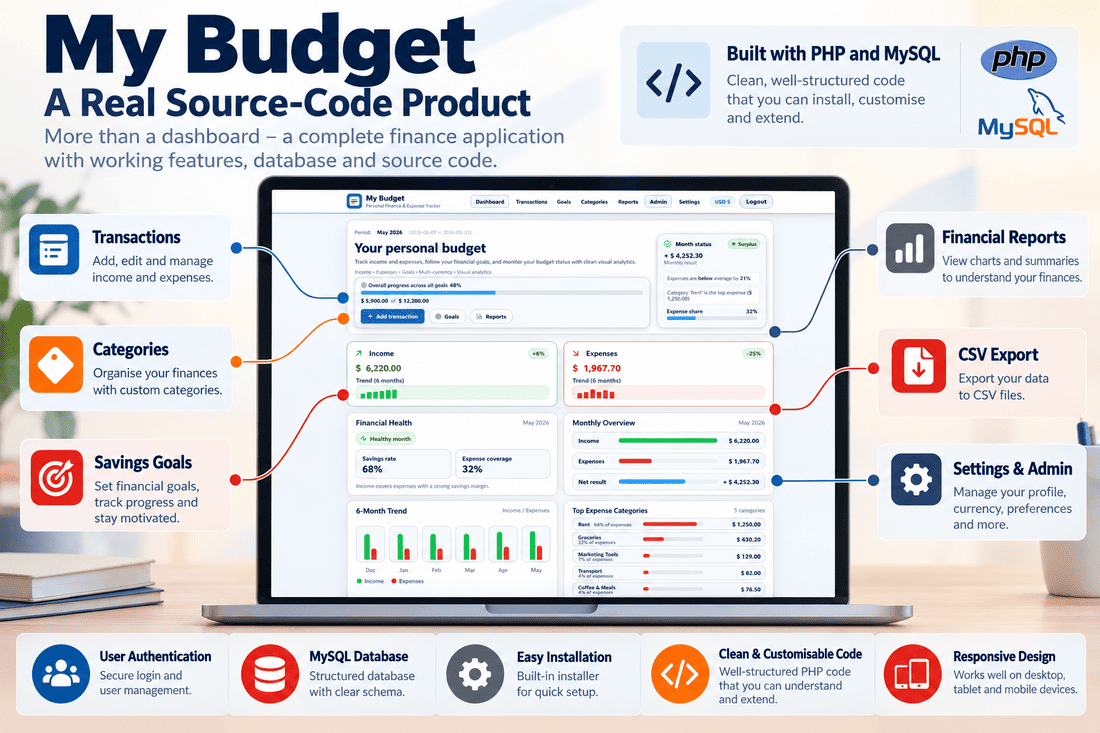
That makes it a different kind of starting point.
A developer interested in creating a specialised finance application could examine the existing structure and consider which parts might be reusable. A freelancer might find the underlying functionality relevant to a client's project. Someone who simply wants a self-hosted budgeting application might be interested in using it closer to its original purpose.
Of course, these scenarios are not interchangeable. Turning a personal finance application into a business accounting system would involve more than changing the title and colours. Different requirements can mean different data structures, reporting rules, permissions and financial logic.
An existing application provides a foundation, not a promise that every possible variation is already supported.
Captain's Toolkit: A Different Purpose, the Same Product Approach
Captain's Toolkit is another example, although it addresses a completely different set of activities.
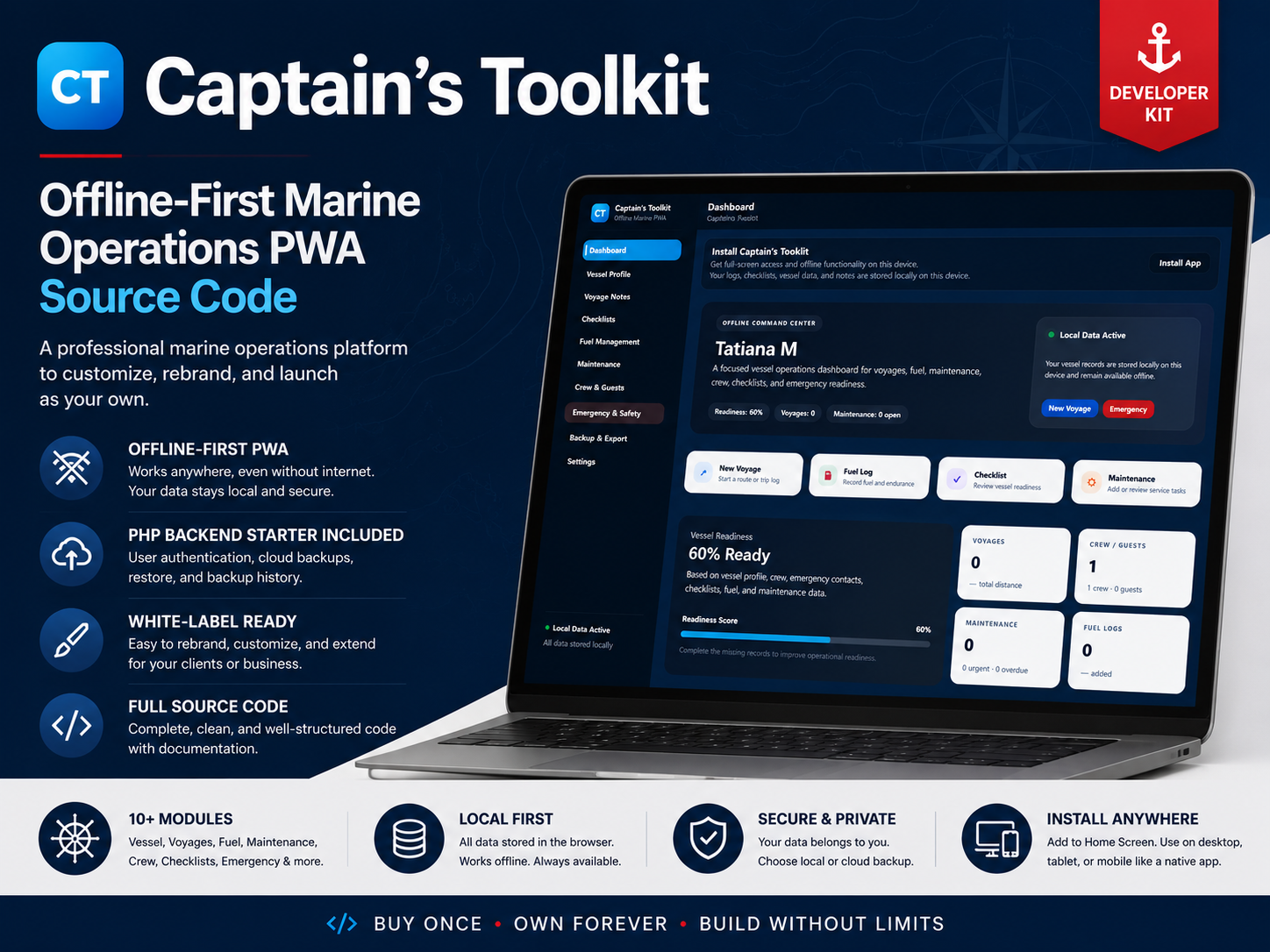
It is an offline-first progressive web application designed around vessel management and marine operations. Its modules cover areas such as vessel information, voyages, fuel, maintenance, crew records, checklists and exports.
It also has a PHP/MySQL backend starter component for supported server-side functionality.
A nautical dashboard template could provide screens with vessel information, fuel charts and maintenance tables. Captain's Toolkit goes beyond that visual starting point by providing working modules organised around those activities.
Its offline-first approach is also part of the application design rather than merely a visual feature.
The product still has boundaries. Its frontend demonstration does not represent a fully enabled cloud-sync service, and buyers need to understand which capabilities are included in the application and which require backend configuration or further development.
That is precisely why the distinction between a working application and a universally finished solution matters.
Both My Budget and Captain's Toolkit are functional source-code applications, but they aren't intended to be generic foundations for every type of software. Their usefulness as starting points depends on how closely their existing functionality matches what a buyer wants to achieve.
What Are You Actually Paying For?
Price comparisons between templates, boilerplates, starter kits and complete applications can be misleading.
A template might cost relatively little but require substantial backend development. A boilerplate might save days of configuration work without providing any of the specialised features the buyer needs. A complete application might cost more initially but remove a significant amount of implementation work.
The purchase price is only one part of the calculation.
| What you're buying | Where it may save time | What may still require substantial work |
|---|---|---|
| UI template | Layouts, styling, visual components | Backend, business logic, data integration |
| Boilerplate | Project setup, architecture, common technical features | Product-specific functionality |
| Starter kit | Shared infrastructure and selected workflows | Specialised features and differentiation |
| Functional source-code application | Existing business logic and user workflows | Installation, adaptation, integration and maintenance |
Consider two developers working on similar projects.
The first purchases a $40 dashboard template and spends several weeks implementing its backend. The second purchases a more expensive application with working functionality but spends time learning its architecture and modifying its behaviour.
The cheaper package isn't necessarily the cheaper project. Equally, the more complete application isn't automatically the better investment.
The real cost depends on how much useful work has already been done, how much of it can be retained and how difficult the remaining changes will be.
The Work That Doesn't Appear in Product Screenshots
Even a functional application may require attention to several areas before it suits a buyer's environment.
- Compatibility: Does it support the required PHP version, database and hosting environment?
- Installation: Is there a clear setup process, and are the server requirements documented?
- Architecture: Can the buyer understand how the application is organised?
- Security: Are authentication, validation, permissions and dependencies appropriate for the intended deployment?
- Customisation: How easily can workflows, interfaces and data structures be changed?
- Maintenance: Who will handle future updates, fixes and compatibility changes?
These questions apply to starter kits and boilerplates as well. Purchasing code does not eliminate development responsibility; it changes the work that remains.
A good package should make that remaining work understandable rather than hide it behind attractive screenshots and broad promises.
More Complete Software Can Also Be More Difficult to Change
It seems logical that buying an application with more working features should save more development time.
Sometimes it does. Sometimes those features become part of the problem.
Imagine a developer building an unusual booking platform. They purchase a complete booking application with customer accounts, scheduling, payments, notifications and administration features.
At first, it looks like an excellent starting point.
Then the requirements begin to diverge. The new platform needs different scheduling rules, a different account structure, unusual payment arrangements and integrations the original application was never designed to support.
The developer may spend considerable time understanding existing code, removing unwanted behaviour and restructuring dependencies.
A simpler starter kit might have allowed them to implement the unusual functionality more directly.
The reverse situation is equally possible. If the intended project closely resembles the existing application, rebuilding all those features from a boilerplate may be unnecessary work.
This is why I wouldn't describe templates, boilerplates, starter kits and complete applications as a ladder where each step is automatically better than the previous one.
They are different ways of distributing development work between the original creator and the buyer.
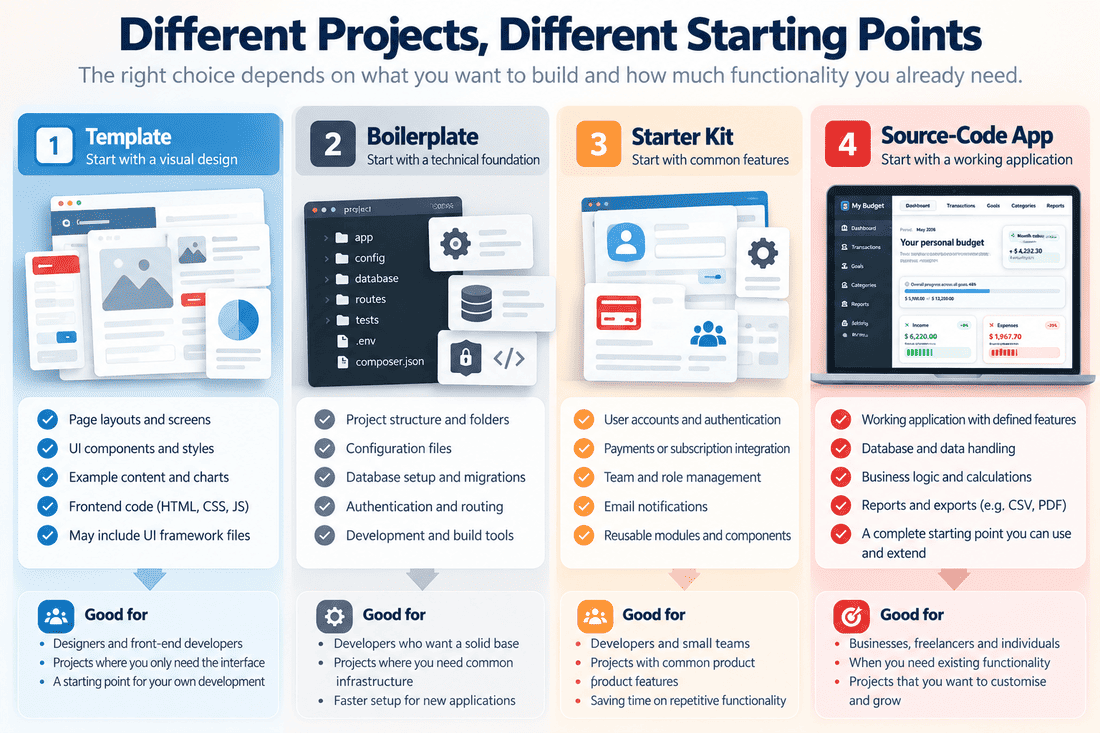
A template leaves most of the application to be built. A boilerplate provides technical foundations. A starter kit may include substantial shared functionality. A purpose-built application already implements a particular set of user activities.
The best starting point depends on which parts of the future product are already known and how closely the purchased code matches them.
Having the Source Code Doesn't Mean You Can Do Anything With It
There is another distinction that often gets lost in product descriptions: having access to source code is not the same as owning unrestricted rights to it.
A seller may provide the complete source files and allow buyers to install and modify the software. That doesn't necessarily mean buyers can redistribute the original package, resell the code, publish it under another licence or create unlimited commercial copies.
Different products come with different licensing arrangements.
Some licences permit use in one project. Others allow multiple deployments or broader commercial use. Some allow modifications but restrict redistribution of the original code. Open-source licences have their own conditions, which vary depending on the licence.
The wording "full source code included" tells the buyer something about what is delivered. It does not, by itself, explain the legal permissions attached to that delivery.
This is particularly relevant to freelancers and agencies.
If someone purchases an application to adapt for a client, they need to know whether the licence permits that arrangement. If a developer wants to turn an existing application into a new commercial product, the permitted scope of modification, distribution and resale matters even more.
The same questions apply to templates, boilerplates and starter kits.
Source-code access gives technical possibilities. The licence defines which uses are permitted.
For buyers, the sensible approach is to read the actual licence terms before planning a project around purchased code, especially when redistribution or commercial client work is involved. Resources such as Choose a License can help explain common open-source licensing options, although commercial products may use their own licence agreements.
A Demo Is Useful, but It Doesn't Tell the Whole Story
When comparing software packages, I think it's worth paying attention to what a demonstration can and cannot prove.
A live demo is more informative than a collection of screenshots. It allows a potential buyer to see how the interface behaves, explore workflows and test at least some of the advertised functionality.
But even a convincing demo doesn't necessarily show the quality of the underlying code.
It may not reveal how authentication is implemented, whether database queries are well organised, how errors are handled or how difficult the application will be to maintain.
For that reason, documentation and technical information matter alongside the demonstration.
A buyer evaluating an existing application should ideally be able to understand its requirements, main modules, installation process, dependencies and important limitations before purchasing it.
Security also deserves attention. The OWASP Top 10 web application security risks provides a useful overview of common web application security risks, although checking an unfamiliar codebase requires more than consulting a single reference.
This doesn't mean every small software product needs hundreds of pages of documentation. It means the seller should provide enough information for the buyer to understand what they are taking responsibility for.
A functional application with unclear requirements can be harder to evaluate than a smaller starter kit with excellent documentation.
The package matters, but so does the information surrounding it.
Perhaps We're Comparing the Wrong Things
The more I look at these categories, the less useful I find the idea of deciding which one is generally best.
A designer creating a presentation website may have no reason to purchase a complete application. A developer building a highly specialised system might prefer a clean boilerplate. A founder launching a conventional SaaS product might find a starter kit with authentication and billing particularly useful.
Someone who needs functionality close to an existing application may find a ready-made source-code product more attractive.
The names are useful for browsing marketplaces, but they are only the beginning of the comparison.
What matters is the relationship between the code that already exists and the software the buyer wants to end up with.
This is also how I think about the products on Cordinant. My Budget and Captain's Toolkit aren't intended to be generic collections of reusable components. They are applications built around specific tasks, with working features and source code that buyers can use and modify within their licence terms.
That doesn't make them the right starting point for every project. It makes their purpose easier to describe.
And perhaps that is the most useful distinction of all.
When someone buys a template, a boilerplate, a starter kit or an existing application, they're not simply buying a quantity of code. They're buying a particular starting point, along with the decisions and limitations that come with it.
The question worth asking is not just what the seller calls the package. It's how much of the application you actually want to build is already there.