When people talk about AI replacing jobs, the examples tend to become dramatic very quickly. Entire professions disappear. Offices become empty. A handful of AI agents apparently run the company while their owner drinks coffee somewhere else.
For a small business, the reality is usually much less cinematic.
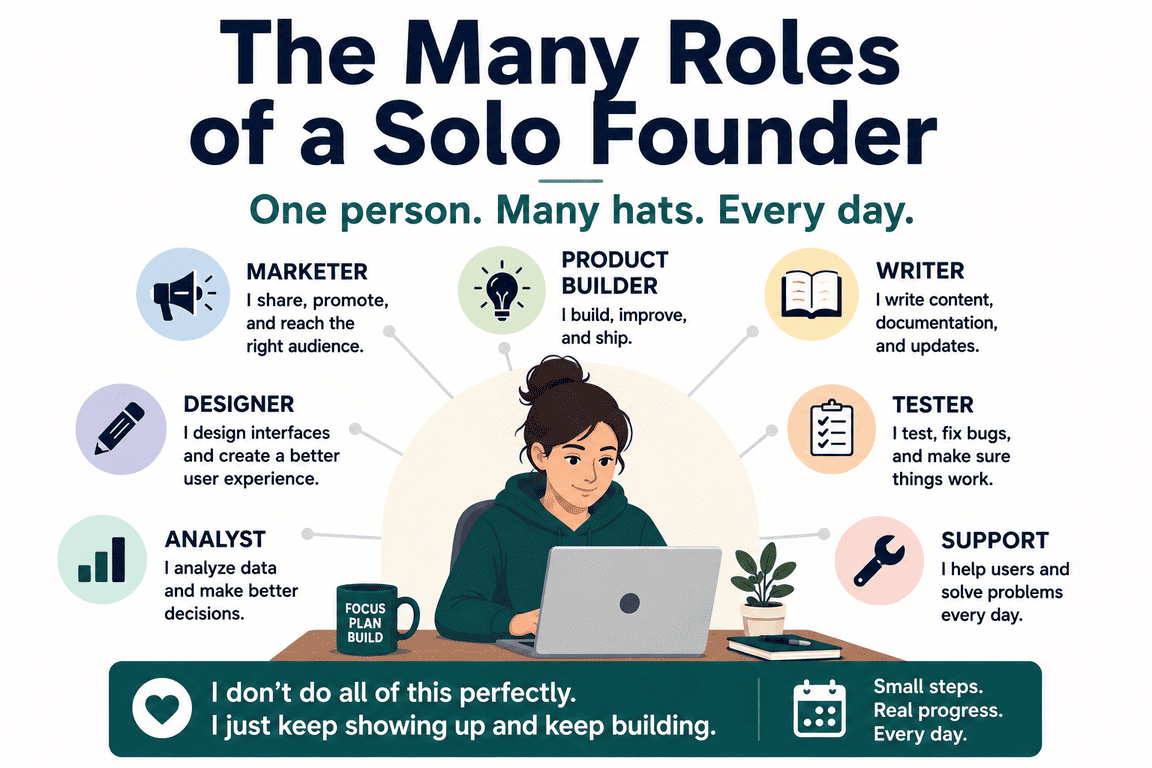
A small company may not have a customer support department, a marketing team, a sales researcher and an administrative assistant in the first place. One person may be doing pieces of all those jobs between everything else that needs attention.
That is where AI automation becomes more interesting to me.
The useful question is not necessarily, “Which employee can AI replace?” A better question might be, “Which parts of somebody's inbox, spreadsheets, browser tabs and repetitive daily routine can software handle?”
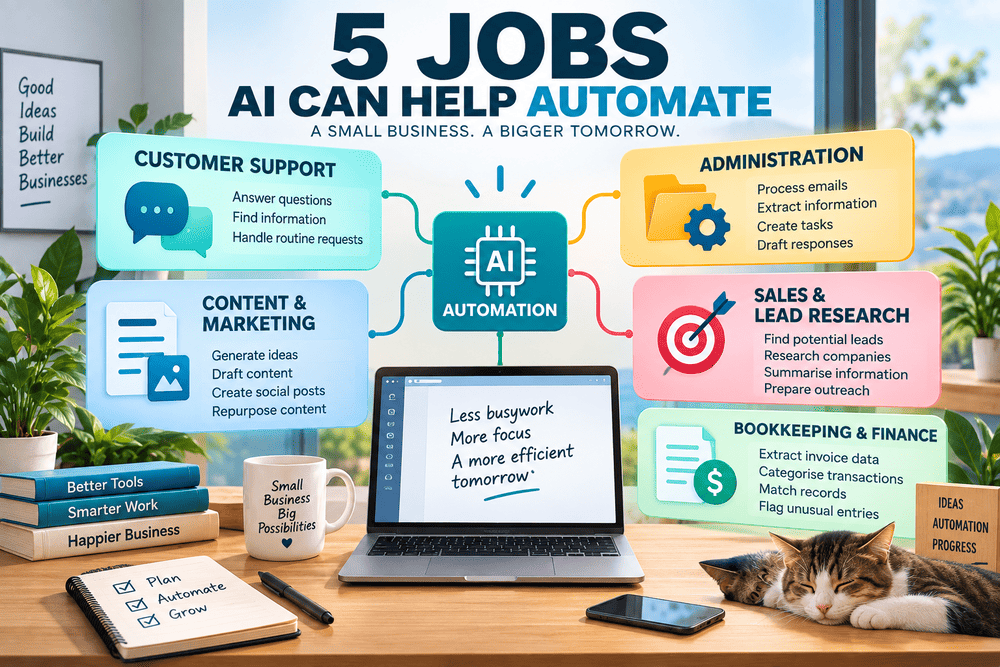
Look at it that way, and quite a few ordinary jobs start breaking into smaller pieces that can be automated.
1. First-Line Customer Support
Customer support seems like an obvious place to start because so many conversations begin with predictable questions.
What are your opening hours? Where is my order? How does this feature work? Can I change my booking? Where can I find the documentation?
A traditional website might answer these through an FAQ page or a chatbot built around predefined responses. AI adds another possibility: instead of forcing the customer to find the exact question that matches a prepared answer, a system can interpret the question and search relevant business information for a response.
For a small business, that could mean connecting an AI system to product documentation, policies, order information or an internal knowledge base.
But this is also a good example of where the word automation can be misleading.
The easy part is answering the question the business has answered a thousand times before. The difficult part begins when the customer asks something unusual.
A refund dispute, an incorrect order, a strange technical problem or an angry customer may require context that is not sitting neatly inside a knowledge base. An AI system can also misunderstand information or produce an answer that sounds convincing while being wrong.
So the more realistic workflow is often something like this:
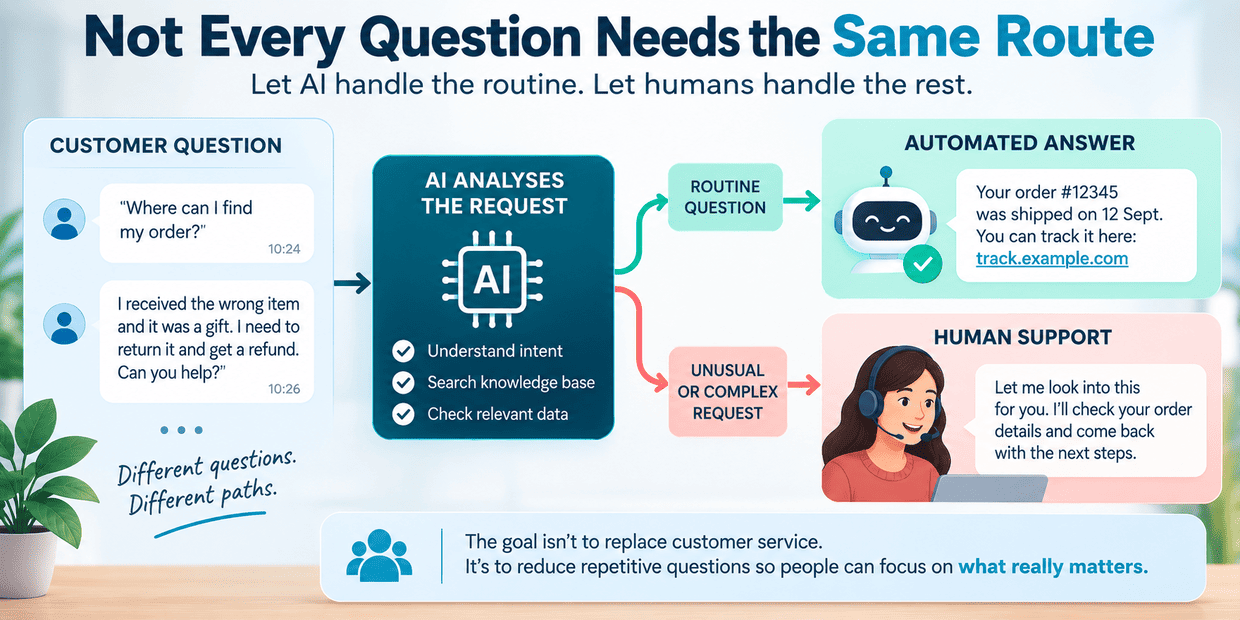
Customer asks a question → AI identifies the request → available information is checked → routine question is answered → unusual case goes to a person.
The interesting part is not removing customer service. It is reducing the number of repetitive conversations that need human attention.
2. Administrative Assistant
Administration is probably where AI automation becomes both less visible and more useful.
Imagine an ordinary enquiry arriving by email.
Someone has to read it, understand what the sender wants, perhaps copy their details somewhere, create a task, forward information to another person and prepare a reply.
None of those actions is particularly difficult. Together, repeated dozens of times, they become work.
AI can sit in the middle of that process.
An incoming message can be classified. Names, dates, order numbers or other useful information can be extracted. A record can be created in another system. The message can be summarised. A response can be drafted.
The same idea applies to meeting notes, documents and internal requests. Unstructured information arrives in one form and needs to become structured information somewhere else.
This is also where the difference between using AI and automating with AI becomes clearer.
Opening an AI chatbot, pasting an email into it and asking for a summary may save a few minutes. It is still a manual process.
If the email arrives, is automatically analysed, produces the appropriate record and prepares the next action without somebody moving information between applications, that is a workflow.
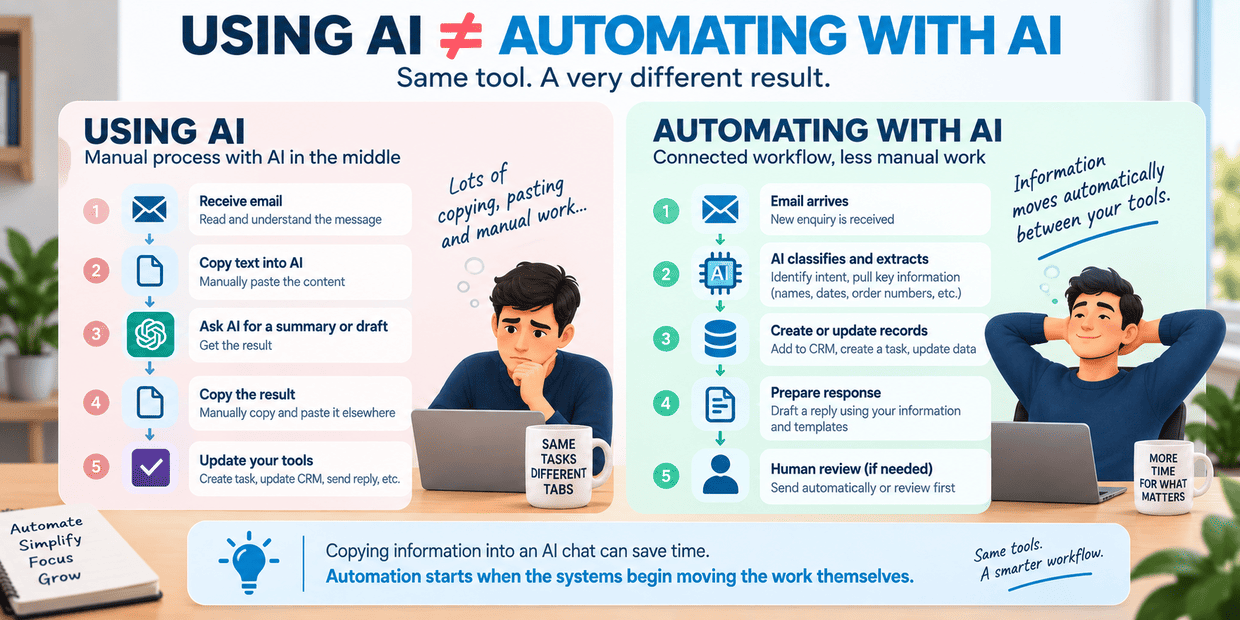
And the AI is only one part of it.
The email system, database, calendar, CRM or task manager may be doing just as much work behind the scenes.
3. Content and Marketing Assistant
Content is probably one of the most visible uses of generative AI.
It can suggest ideas, organise research, create outlines, draft text, rewrite awkward paragraphs, produce shorter versions and turn one piece of material into several social posts.
But “AI can write a blog post” is actually the least interesting part of this job.
Consider everything around the article.
There may be an initial idea. Then research. Then an outline. A draft. Editing. A title. A meta description. Images. A LinkedIn post. A shorter post for another platform. Perhaps a newsletter paragraph. Later, the article might need updating.
That is a chain of related tasks, and AI can participate at several points without necessarily being responsible for the finished work.
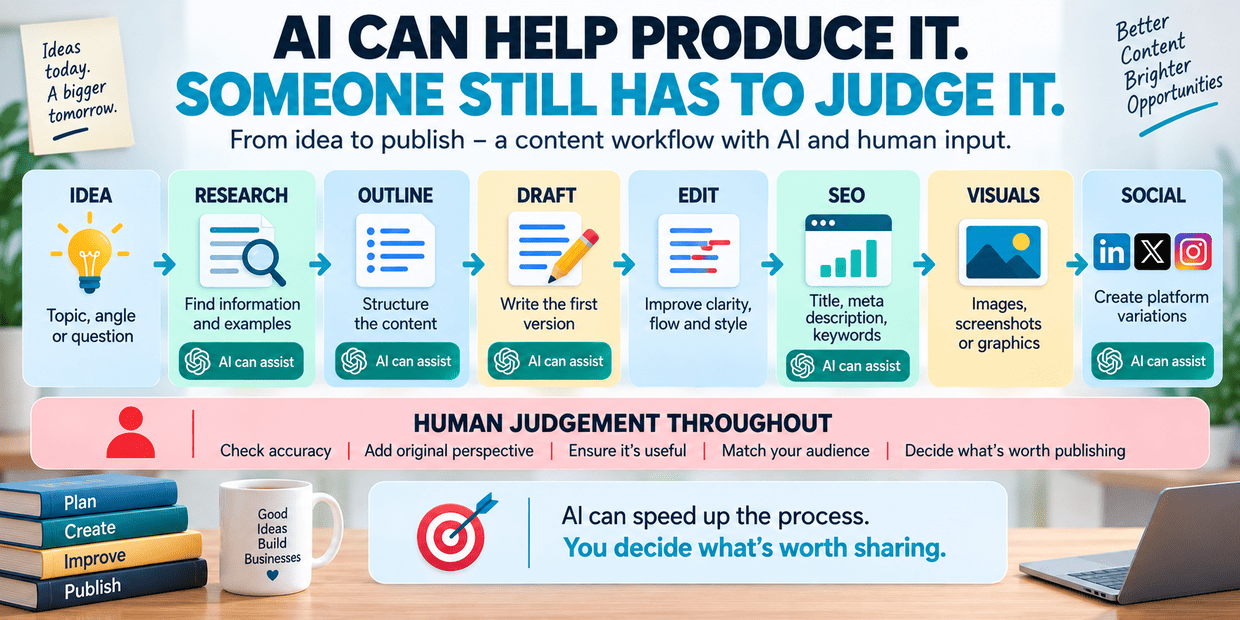
I use AI-assisted processes in my own product and content work, and this distinction matters to me. Generating something is easy. Deciding whether the result is useful is a different job.
Sometimes AI produces an angle I had not considered. Sometimes it gives me a useful structure. And sometimes it produces perfectly grammatical text that says almost nothing.
The faster content becomes to generate, the easier it becomes to produce too much of it.
That creates a strange situation. Automation reduces the effort required for production, while potentially increasing the importance of judgement.
Someone still has to ask whether the information is correct, whether the text sounds natural, whether it says anything worth publishing and whether it actually belongs on the website.
A content assistant can automate production work. It cannot automatically make the result interesting.
4. Sales and Lead-Research Assistant
Sales automation has existed long before the current wave of generative AI. Businesses already had CRMs, mailing systems, lead databases and automated follow-ups.
AI changes some of the work that happens between those systems.
Suppose a small software business wants to find companies that could potentially use a particular product.
A person could search the web, open company websites, read service pages, look for relevant information, decide whether the company resembles the intended customer, record the details and prepare a personalised message.
A large sales operation may have people dedicated to parts of this process.
A small business probably does not.
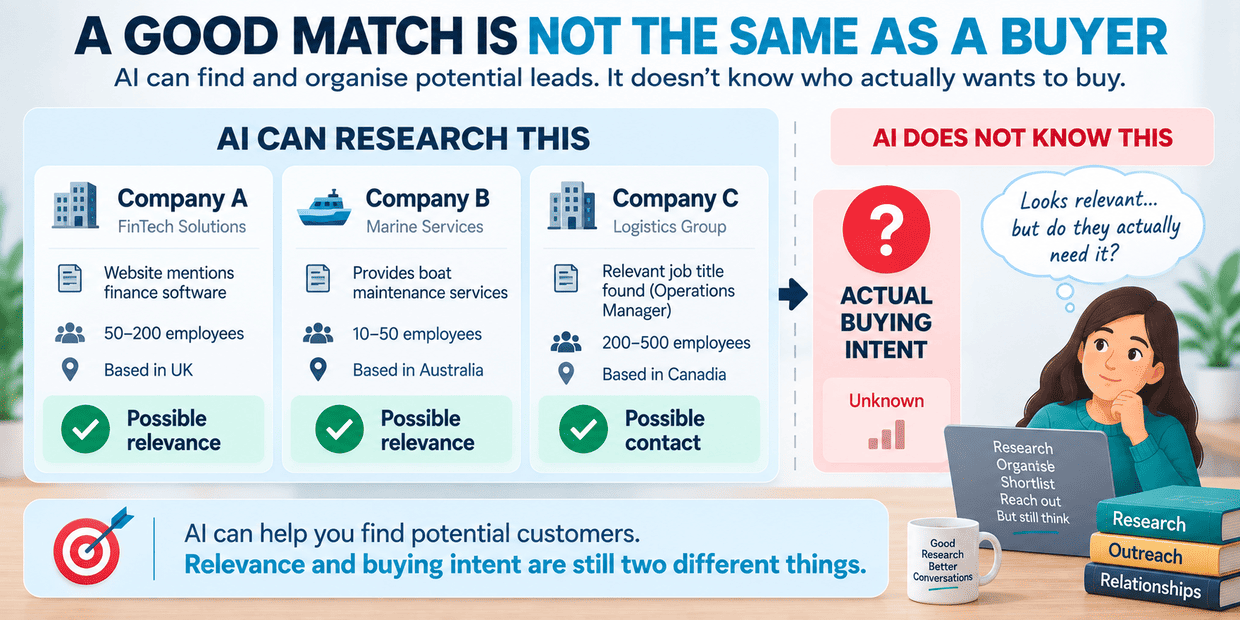
An AI-assisted workflow can help research companies, summarise what they do, classify them against defined criteria, organise potential leads and prepare draft outreach.
That sounds extremely convenient until automation reaches the wrong conclusion.
A company mentioning “finance” on its website does not necessarily need financial software. A business discussing boats does not automatically need marine software. A person with the right job title may have no interest in the product at all.
AI can find patterns in available information. That does not mean it understands somebody's intention to buy.
There is another problem: once outreach becomes inexpensive to generate, it becomes inexpensive to generate badly.
We have probably all seen messages that pretend to be personal while obviously coming from an automated system. Adding a company name and one sentence scraped from a website does not necessarily make a message relevant.
So there is a useful boundary here.
AI can make researching potential customers considerably less tedious. Deciding whether there is a genuine reason to contact someone still deserves more thought.
5. Bookkeeping and Financial Administration
Financial administration contains plenty of work that is necessary without being particularly interesting.
Invoices arrive. Receipts accumulate. Transactions need categories. Information has to move from documents into records. Something is missing and somebody has to notice.
AI can help with parts of this process too.
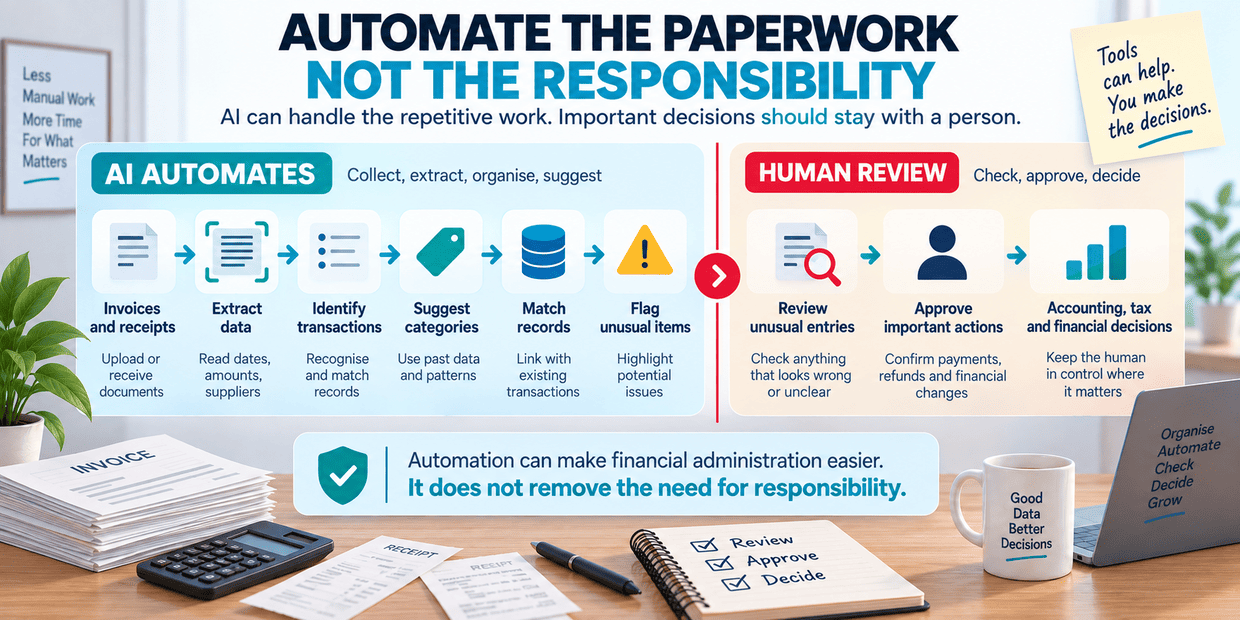
A system might extract information from invoices, identify dates and amounts, suggest transaction categories, match documents with existing records, prepare summaries or flag entries that look unusual.
This does not mean handing financial responsibility to a language model.
There is a significant difference between organising information and making an accounting, tax or financial decision based on it.
If an AI system creates a slightly awkward social-media draft, somebody can edit it. If it incorrectly interprets an important financial document and nobody notices, the consequences may be considerably more serious.
That changes how automation should be designed.
A sensible workflow may automate collection, extraction and organisation while keeping important decisions and approvals with a person.
The technology may be similar to the system answering customer questions, but the acceptable margin for error is not.
The AI Is Only One Piece of the Automation
There is something slightly misleading about the phrase “AI automation.”
It makes it sound as though the AI model is doing everything.
Usually it is not.
Imagine an automated customer enquiry:
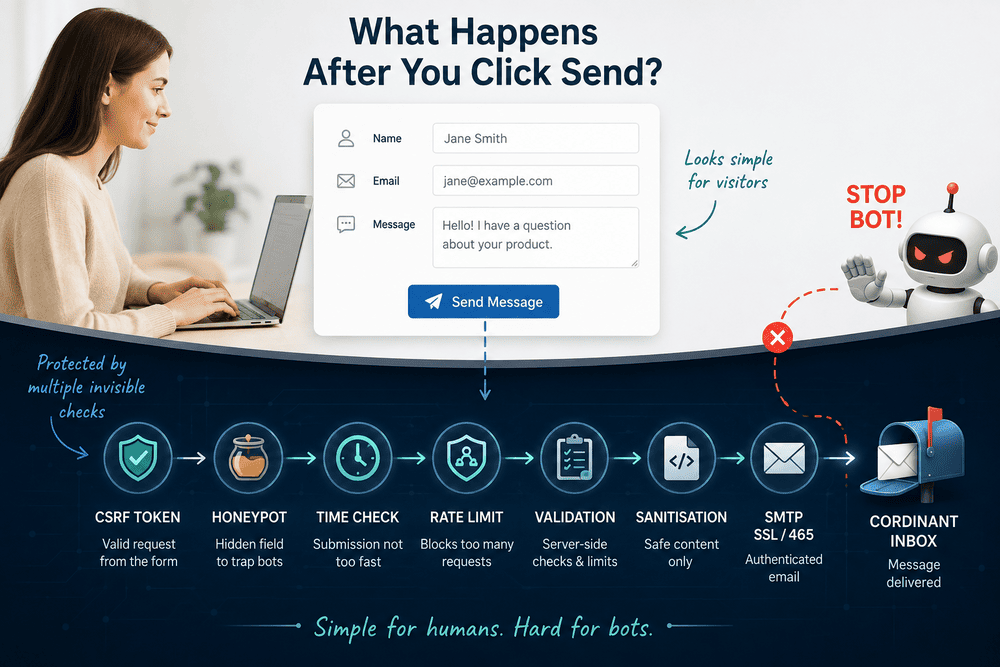
Email arrives → request is classified → customer record is checked → relevant information is retrieved → response is drafted → business rules decide what happens next → response is sent or passed to a person.
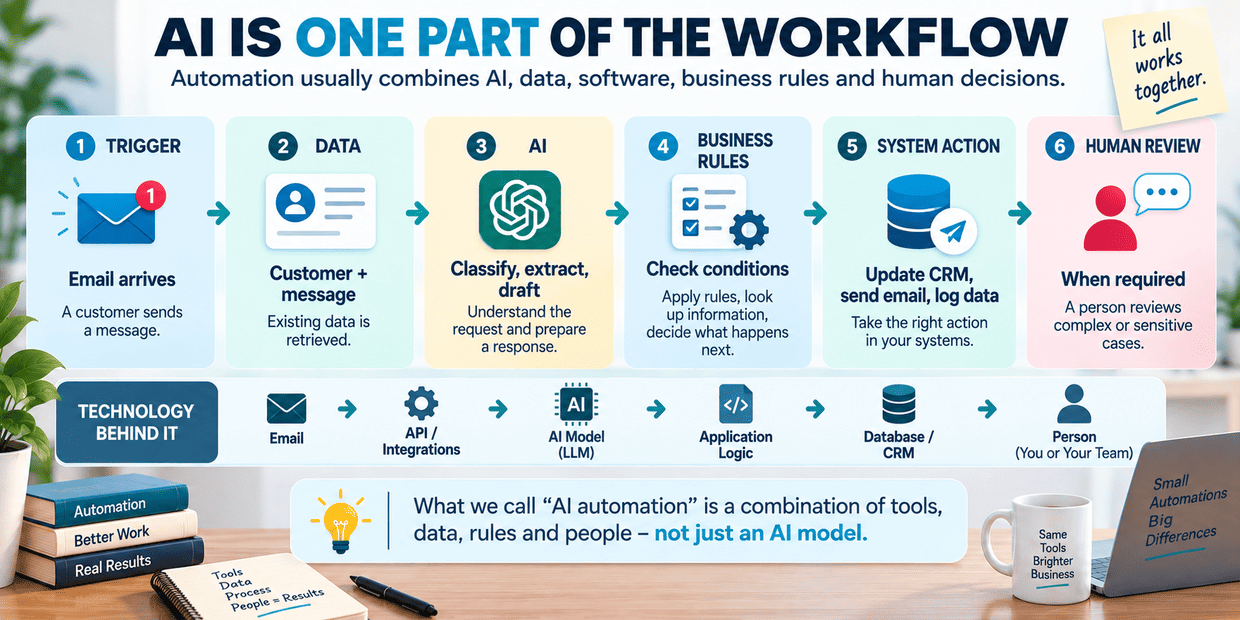
Only some of those steps actually require AI.
The rest may involve APIs, databases, application code, email software, CRM systems and ordinary conditional logic.
In some workflows, AI is essentially the translator between messy human information and structured software.
People write unpredictable sentences. Documents come in different formats. Customers describe the same problem in twenty different ways.
Traditional software prefers clean fields and predictable values.
AI can sometimes bridge those two worlds.
That may be more useful than asking it to control the entire process.
What I Would Be Reluctant to Automate Completely
Once you start breaking jobs into tasks, another question appears: where should the automation stop?
There is no universal answer.
A business selling inexpensive physical products may be comfortable automatically approving certain customer requests. Another company dealing with expensive contracts may require a person to review almost everything.
The consequences of being wrong matter.
I would be particularly cautious about completely automating work involving important financial decisions, legal commitments, sensitive customer disputes, unusual exceptions or information that will be published without review.
Relationship-heavy sales is another interesting case.
AI can research the company. It can organise notes. It can remind someone to follow up. It can even draft the message.
But the value of a real business relationship may be precisely that somebody is paying attention rather than running the person through an automated sequence.
Automation works particularly well when the rules are predictable. Human involvement becomes more valuable when the situation is not.
Perhaps We Are Automating Tasks, Not Jobs
After looking at these five examples, the word job starts to feel too large.
A customer support employee does not perform one task. Neither does an administrator, marketer, salesperson or bookkeeper.
Each role contains dozens of activities.
Some are repetitive. Some require judgement. Some depend on context. Some involve relationships. Some carry very little risk if something goes wrong, while others carry a lot.
AI may be excellent at a few of them, useful for several more and completely inappropriate for the rest.
That makes the future of small-business automation less dramatic than the usual “AI replaces jobs” story, but perhaps more interesting.
The first useful AI employee may never really exist.
Instead, there may be a collection of small automations quietly answering routine questions, reading documents, organising information, researching prospects and preparing drafts while people continue handling the parts that do not fit neatly into a workflow.
For a small business, that may be enough to make a noticeable difference.