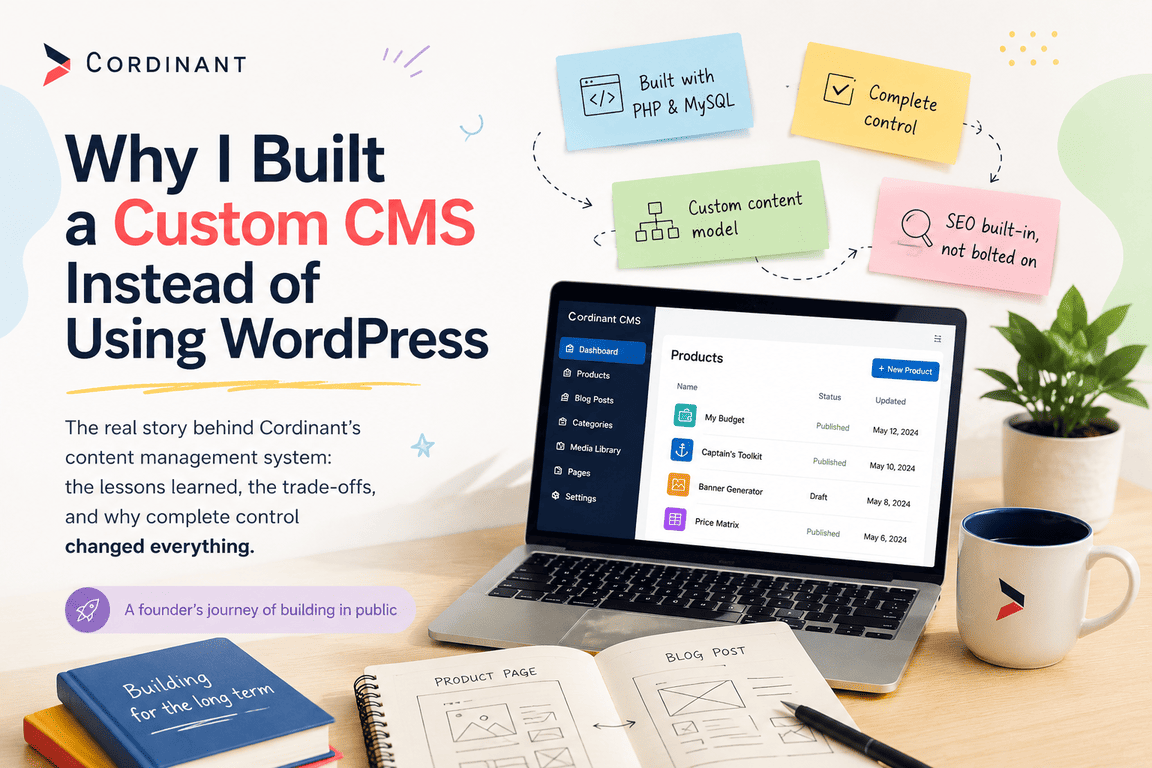
Whenever someone discovers that Cordinant runs on a CMS I built myself, the first question is almost always the same:
"Why didn't you just use WordPress?"
Honestly, I understand why people ask.
If someone came to me today looking for a company website, a blog, or a content-driven marketing site, WordPress would still be one of the first platforms I'd recommend. It has earned that position over many years. The ecosystem is enormous, the documentation is excellent, hosting companies know how to support it, and chances are that whatever feature you need has already been built by someone else.
That's exactly why I expected to use it myself.
When I first started planning Cordinant, I had no intention of building a CMS. The goal wasn't to create another framework or compete with existing platforms. I simply wanted a website where I could publish technical articles, present my products, and gradually document my journey as an independent developer. From the outside, that sounded like the kind of project WordPress had been solving successfully for years.
Looking back, I realise my biggest mistake wasn't choosing WordPress.
It was assuming I already knew what Cordinant was going to become.
Why WordPress Looked Like the Obvious Choice
In the early days, Cordinant existed only as a rough collection of ideas. I knew I wanted to build PHP applications and eventually sell them through my own website, but I hadn't yet figured out what that website would look like. At that stage, the simplest approach seemed to be building the products first and using WordPress as the publishing platform around them.
It made perfect sense.
WordPress already handled user authentication, media uploads, categories, publishing workflows, SEO plugins, and everything else I assumed I'd need. Using it would allow me to focus on the products themselves instead of spending weeks writing infrastructure. As a solo developer responsible for design, development, documentation, marketing, and support, saving time felt like the most sensible decision I could make.
For a while, that's exactly what I expected to do.
Then the project slowly started changing.
As I designed the first product pages and sketched different layouts for the website, I realised Cordinant wasn't becoming a typical content website. It wasn't simply a blog, and it wasn't simply a product catalogue either. I wanted long-form technical articles that explained how products were built, detailed product pages that looked more like landing pages than blog posts, and an admin interface that reflected the way I actually worked instead of the way a traditional publishing platform expected me to work.
None of those requirements sounded particularly unusual on their own.
The challenge appeared when I tried to combine them into a single, coherent system.
When Plugins Became the Real Project
At first, WordPress seemed flexible enough to handle everything I had in mind. Whenever I wanted to add a new feature, the answer was almost always the same: there was a plugin for it. Need better SEO? Install a plugin. Want structured data? Another plugin. Better media organisation? Another plugin. Custom fields? Product relationships? Redirect management? Image optimisation? Sitemaps? Every problem appeared to have an existing solution, and initially that felt reassuring.
From Building a Website to Researching Plugins
After a while, though, I noticed something that surprised me.
I was spending less time building Cordinant and more time researching the software that would eventually build it for me.
A typical evening no longer consisted of writing PHP or designing new pages. Instead, I'd have half a dozen browser tabs open comparing plugins, reading documentation, checking compatibility with the latest PHP version, browsing changelogs, and trying to work out whether two extensions would conflict with one another. Every decision felt small on its own, but together they consumed an astonishing amount of time.
The Hidden Cost of Flexibility
The irony was difficult to ignore.
I had chosen WordPress because I wanted to avoid writing infrastructure, yet I was investing hours evaluating software that solved only part of my problem. Most plugins were genuinely well made, but they were designed for a broad audience. I wasn't looking for a solution that worked for thousands of different websites and I was trying to build one very specific website with one very specific workflow.
The more specialised Cordinant became, the more obvious that difference felt.
The First Time I Questioned the Approach
One evening, after closing yet another collection of plugin comparison tabs, I caught myself wondering whether writing a few hundred lines of PHP would actually take less time than continuing to adapt someone else's architecture. A few months earlier I would have dismissed that idea immediately. Now it seemed surprisingly reasonable.
It Wasn't the End of WordPress
That wasn't the moment I abandoned WordPress.
It was simply the first moment I started asking a different question.
A Different Question Changed Everything
Instead of wondering which plugin I should install next, I began wondering what the admin panel would look like if I designed it solely around the way I wanted to build Cordinant.
Looking back, I think that question changed the direction of the entire project.
Why I Wanted Complete Control Over the Architecture
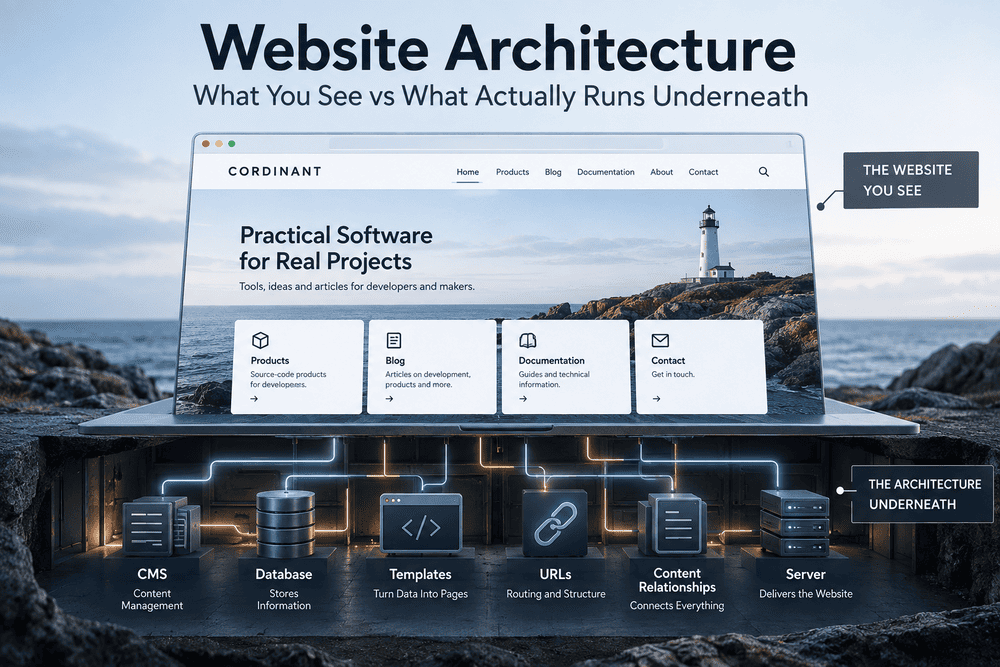
At some point, I stopped thinking about Cordinant as a collection of individual pages and started thinking about the system behind them. That shift happened gradually rather than through a single design decision. At first, I simply wanted a better way to publish blog posts and update product pages, but as the website grew, I realised that almost every change affected multiple parts of the project. Adding a field to a product page wasn't just about displaying another piece of information. It also influenced structured data, Open Graph tags, the sitemap, search results, and the way content was managed inside the admin panel. Once I saw those connections, it became difficult to think of the website as just a frontend.
Everything Started Becoming Connected
The more features I added, the more obvious another problem became. Products and articles weren't isolated pieces of content anymore, they were closely related. I wanted articles to recommend products naturally instead of relying on generic "related posts" widgets, and I wanted product pages to link back to articles explaining why a feature existed or how it had evolved.
Both content types needed categories, featured images, SEO metadata, publishing status, clean URLs, and media management. Trying to bolt those relationships onto a general-purpose CMS started to feel increasingly unnatural because I was adapting my ideas to fit the platform instead of designing the platform around my ideas.
I Wasn't Looking for More Features
That was probably the moment I realised I wasn't looking for more functionality. I was looking for more clarity. I wanted to understand exactly how every part of the website worked and to know that if I decided to change something tomorrow, I could do it without wondering which plugin, extension, or third-party component might unexpectedly break.
Building a CMS Around My Own Workflow
One of the biggest surprises was discovering how small my CMS actually needed to be. Before I started building it, I imagined something much larger because that's what most people associate with the term "CMS." WordPress, Drupal, and similar platforms contain years of accumulated features designed for millions of different websites. Mine had a completely different purpose. It only needed to support one website and one workflow that is my own.
Building Only What I Actually Needed
That realisation changed the way I approached every new feature. Instead of asking myself what a CMS should include, I started asking what I genuinely needed to make my daily work easier. If I hadn't encountered the same problem several times, I simply didn't build a solution for it. That rule eliminated a surprising amount of unnecessary complexity because many ideas sounded useful in theory but never became recurring problems in practice.
A Dashboard Designed for One Workflow
As a result, the dashboard only displays information I actually care about. The product editor contains only the fields I use when publishing products. The blog editor focuses on writing articles rather than trying to imitate a full publishing platform. Even the media library exists because I repeatedly found myself searching for screenshots, featured images, and product assets, not because every CMS is expected to have one.
Letting Real Problems Drive Development
Looking back, I think that philosophy had an even bigger impact than the code itself. By allowing real problems to drive development, the CMS grew at a much slower pace, but every addition felt justified. Instead of becoming more complicated with each release, it gradually became more focused.
One Content Model Instead of Several
One architectural decision turned out to influence almost everything else: treating products and blog posts as variations of the same content rather than completely separate systems.
At First, They Seemed Completely Different
My first instinct was to design two independent structures because visitors interact with products and articles differently. Digital products have pricing, screenshots, technical requirements, and documentation, while articles have reading time, author information, and long-form content. On the surface, they seemed like entirely different entities.
The More I Looked, the More They Had in Common
The more I analysed them, however, the more similarities I discovered. Both required titles, descriptions, featured images, categories, SEO metadata, publication status, clean URLs, and structured data. Both appeared in search results and social media previews. Both needed relationships with other pieces of content. Once I recognised those common patterns, maintaining separate systems no longer made much sense.
One Shared Model Made Everything Simpler
Designing a shared content model simplified far more than I expected. Later, when I wanted to display related products inside articles or recommend articles from product pages, those features felt almost effortless because the relationships already existed in the architecture. The same applied when I redesigned parts of the website or introduced new SEO fields. Improvements made in one area often benefited the other automatically because both content types followed the same underlying principles.
A Lesson About Good Architecture
That experience reminded me that good architecture often isn't about creating more specialised structures. Sometimes it's about recognising where two seemingly different problems are actually the same problem viewed from different angles.
How SEO Became Part of the Architecture
One of the most valuable things I gained from building my own CMS had very little to do with writing PHP. It was a much deeper understanding of technical SEO.
SEO Stopped Being an Afterthought
Before Cordinant, I tended to think of SEO as something you configured after the website was finished. Install a plugin, complete the metadata fields, generate a sitemap, and move on to the next task. Building my own system completely changed that perspective because SEO wasn't something added afterwards, it became part of the architecture itself.
Every Architectural Decision Affected SEO
Every structural decision affected search engines in some way. URL generation influenced canonical tags. Canonical tags affected indexing. Structured data depended on how the database was organised. Open Graph images relied on consistent media management. Even seemingly small changes, like reorganising product URLs, required thinking about redirects, breadcrumbs, internal links, and the sitemap at the same time.
Google Search Console Became Part of My Workflow
Google Search Console unexpectedly became one of my favourite development tools. Whenever it reported a warning, my first reaction was usually annoyance because I knew another investigation was waiting for me. But those investigations almost always ended with a better understanding of how search engines interpreted the website. Sometimes the solution took only a few minutes. Other times I spent an entire evening reading documentation, reviewing schema specifications, or tracing how a particular URL was generated.
Understanding Instead of Configuring
Looking back, I'm actually grateful those problems appeared. If everything had been hidden behind plugins, I probably would have fixed the warnings without ever understanding why they existed. Building my own CMS forced me to understand the underlying standards instead of simply configuring someone else's implementation.
How the CMS Slowly Became Part of the Product
When I first started working on Cordinant, I thought of the CMS as an internal tool that visitors would never see. Its only purpose was to help me publish articles and manage products more efficiently. I assumed it would quietly sit in the background while the public website received all of my attention.
The Backend and Frontend Started Evolving Together
That assumption gradually disappeared. Every improvement I made inside the admin panel eventually changed the experience on the frontend as well. Redesigning product pages required changes to the product editor. Improving blog layouts meant extending the article editor. Adding richer relationships between products and articles required updates to both the database and the interface. The backend and frontend weren't evolving independently anymore, they were shaping each other.
The CMS Became Part of the Product
Eventually I realised the CMS wasn't simply supporting Cordinant. It had become part of the product itself. Every workflow reflected the way I built software, and every improvement to that workflow made the website better for visitors as well. Looking back, I think that's the real reason I continued investing in it. I wasn't trying to replace WordPress. I was building a tool that naturally evolved alongside the business I was creating, and that made every future decision a little easier than the last.
The Trade-Offs I Didn't Expect
If you've read this far, you might think I'm about to tell you that building a custom CMS was unquestionably the right decision.
It wasn't that simple.
It Was Never About Being Better Than WordPress
Looking back, I don't think the question was ever whether a custom CMS was "better" than WordPress. The real question was whether it was better for this project. That's an important distinction because building your own CMS doesn't eliminate complexity, it simply moves it somewhere else. Instead of spending time evaluating plugins, configuring settings, and adapting existing software, you spend that time designing your own architecture, writing code, testing edge cases, and maintaining everything yourself.
Owning Everything Also Means Owning Every Problem
One thing I underestimated was how much responsibility comes with owning the entire system. When something goes wrong in WordPress, there's usually documentation, a plugin update, or a community discussion that points you in the right direction. With a custom CMS, every unexpected behaviour eventually leads back to your own code. That isn't necessarily a disadvantage, in many ways I actually prefer it, but it does mean there is nobody else to blame when something breaks.
The Work Nobody Ever Sees
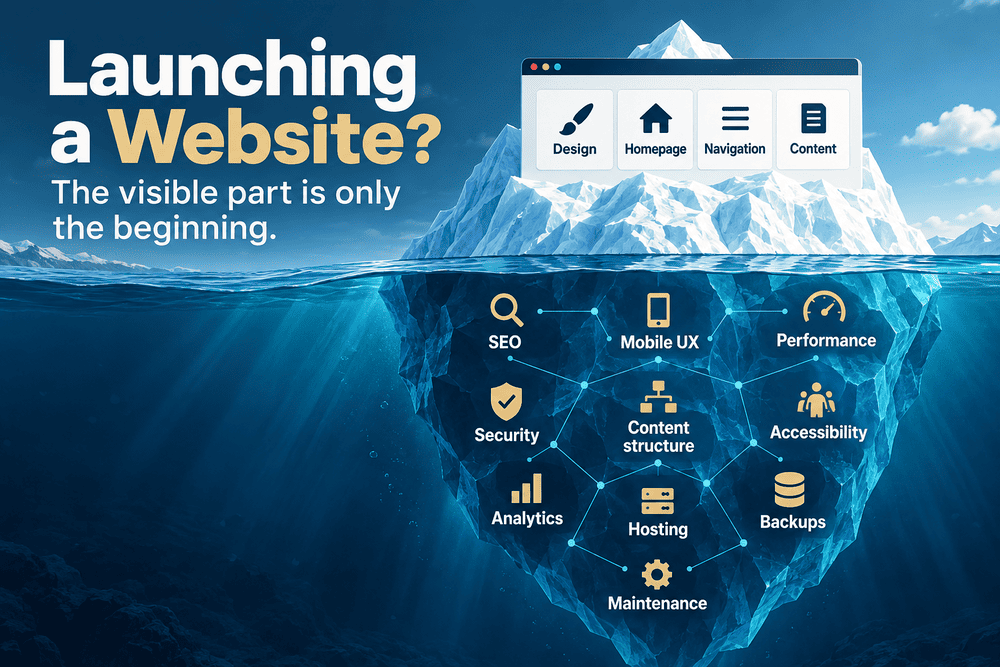
During the development of Cordinant I spent surprisingly little time building flashy new features compared to the amount of time I spent improving the foundations of the website. Some of the tasks that consumed entire evenings would never be noticed by visitors, yet they were essential for building a reliable platform.
For example, I found myself repeatedly working on things like:
- Improving canonical URLs after changing the routing structure.
- Fixing issues reported by Google Search Console.
- Refining structured data and schema markup.
- Generating a cleaner sitemap with consistent URLs.
- Improving media handling for products and blog posts.
- Reorganising the database as the content model evolved.
- Redesigning parts of the admin interface after using them in real life.
None of those tasks produced a visible new feature that I could announce in a changelog. Yet every one of them made the website a little easier to maintain and a little more reliable. Those incremental improvements rarely feel exciting while you're working on them, but after months of development they add up to a much stronger foundation.
Documentation Was Never Really Finished
Another thing I underestimated was documentation. At the beginning I assumed documentation would be something I'd write once the software was finished. In reality, I discovered that the CMS was never truly "finished." Every architectural decision influenced future development, which meant documenting those decisions became just as important as writing the code itself. Installation notes, deployment instructions, database structure, media organisation, and SEO conventions gradually became part of the project rather than something I could postpone until the end.
One Project Became Two
Looking back, I don't think I built one product.
I built a website, and alongside it I built the digital tool that allows me to continue improving that website. Realising those had become two connected products was one of the biggest surprises of the entire project.
What WordPress Still Does Better
Ironically, spending months building my own CMS gave me even more respect for WordPress than I had before.
Building Your Own CMS Changes Your Perspective
It's easy to criticise mature software when you're only looking at the parts that don't fit your own project. Once you start recreating even a small percentage of that functionality yourself, you quickly realise how many difficult problems have already been solved. Media management, user permissions, localisation, plugin APIs, editor usability, accessibility, and countless other details represent years of engineering work by thousands of contributors.
Why I'd Still Recommend WordPress
That's why I don't think this article should be read as an argument against WordPress.
- If I were building a marketing website for a client, I'd probably use it.
- If someone needed a company website online within a week, I'd almost certainly recommend it.
- If the project required multiple editors, marketers, and non-technical content creators, WordPress would still be one of the strongest options available.
Its greatest strength has always been that it works well for an enormous variety of websites.
Why It Stopped Being the Right Fit for Cordinant
Cordinant simply stopped being one of those websites.
As the project evolved, it became less like a traditional content site and more like a custom software platform that happened to include a blog, product catalogue, documentation, and an admin system. The more specialised it became, the more valuable complete control over the underlying architecture became.
That doesn't make WordPress the wrong choice.
It simply means that popularity isn't the same thing as suitability.
What Changed My Mind
When I started building Cordinant, I thought I was making a technical decision. The question seemed straightforward: should I use WordPress or should I build my own CMS? I expected the answer to depend on features, development time, or the amount of code I'd have to write.
Looking back, I don't think that was the real decision at all.
The Project Kept Redefining Itself
As the project evolved, I realised I wasn't building a typical content website. Every new product changed the product pages. Every article influenced the structure of the blog. Improvements to SEO affected the database, routing, and media library. The admin panel wasn't simply a place to edit content anymore, it was becoming part of the product development process itself.
I Started Designing the Workflow First
That shift completely changed the way I looked at the project. Instead of trying to adapt an existing platform to an increasingly specialised workflow, I began designing a workflow first and allowing the CMS to grow around it. It wasn't a deliberate change that happened overnight. It emerged gradually through hundreds of small decisions, rewrites, and improvements until one day the custom CMS simply felt like the most natural solution.
Would I Make the Same Decision Again?
Knowing everything I know today, I would still build a custom CMS for Cordinant.
That doesn't mean I'd build exactly the same one.
Experience Changes the Way You Build
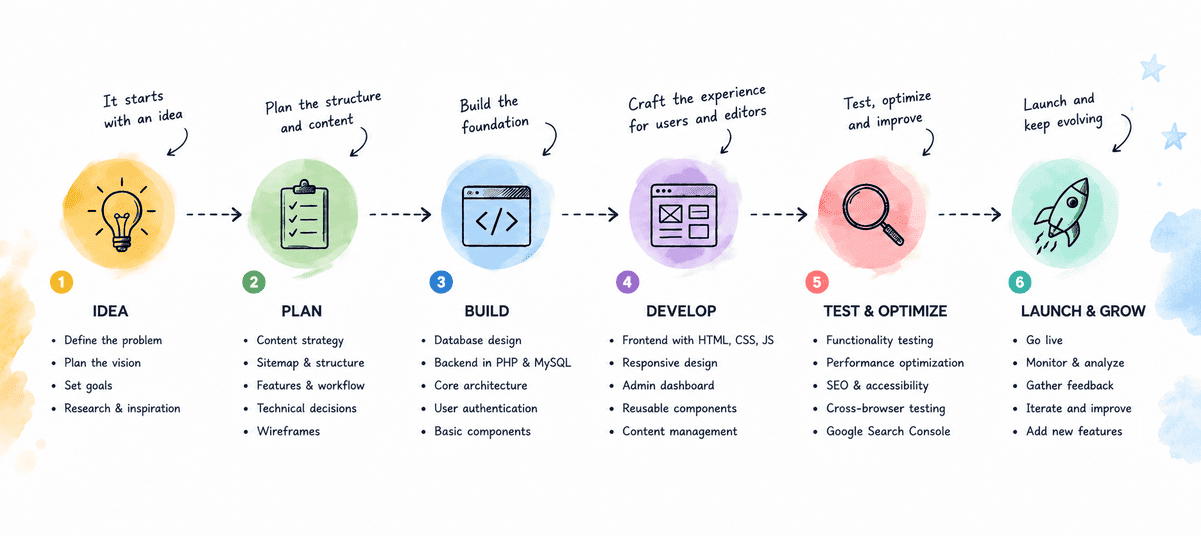
One advantage of completing a project like this is that you eventually see which assumptions were correct and which only seemed sensible at the beginning. I understand my workflow much better today than I did when I created the first database tables or sketched the first admin screens. Some features I thought would become essential disappeared completely, while others only emerged after months of publishing articles, refining product pages, and using the website every day.
What I'd Do Differently Today
If I started over tomorrow, I'd spend much more time designing the content model before writing the first line of PHP. Products, articles, categories, media, SEO metadata, and internal links all influence one another, and changing those relationships later is far more expensive than redesigning an interface. I'd also worry less about getting everything right on the first attempt. Many of the best decisions behind Cordinant only became obvious after I had lived with the earlier versions for a while.
Software Evolves Alongside Its Creator
Perhaps that's the biggest thing this project taught me. Good software doesn't appear fully formed, especially when you're building it for yourself. It evolves alongside your understanding of the problem. Every iteration teaches you something that simply couldn't have been planned at the beginning.
Looking Ahead
The CMS that powers Cordinant today almost certainly won't be the same CMS I'll be using a few years from now.
Change Is Part of the Design
New products will introduce new requirements. The blog will continue growing. Search engines will change, browsers will evolve, and I'll almost certainly discover better ways to organise content than the ones I'm using today. Rather than seeing that as a sign that the system was designed poorly, I've come to see it as evidence that the project is still alive.
Owning the Architecture Means Owning the Future
That's probably the biggest difference between buying software and building software. When you own the architecture, every improvement becomes an opportunity to refine the way you work instead of waiting for someone else to solve the problem. Sometimes that means writing more code. Other times it means deleting code that no longer serves a purpose. Either way, the software continues to evolve alongside the business.
The Short Answer
So if someone asks me today why I didn't simply use WordPress, my answer is much shorter than the story you've just read.
WordPress wasn't the wrong choice.
It just stopped being the right one for the website Cordinant was gradually becoming.
And looking back, I think that's exactly when building my own CMS started making sense.